Your account. Our orders. Maker side only.
Vesper quotes both sides of the book on the markets you choose and earns the spread back on every round trip, paying maker fees instead of taker fees. It steps aside when the market jumps or the book turns against one side, and comes back on its own. Everything runs on your own TxFlow account: Vesper can trade, it can never withdraw.
A key that can only trade
One signature approves Vesper on TxFlow. It places and cancels orders. It cannot withdraw. Your money stays on your account.
Pick, size, start
Choose up to three markets, each with its own margin and leverage. Add or stop a market while the others keep running.
Orders shrink with your balance
Your size is a ceiling. When free USDC is lower, Vesper places smaller orders instead of stopping, and tells you exactly how much to deposit if even the smallest order no longer fits.
Runs while you are away
The session runs on our servers until you press Stop, even with the tab closed. One Stop closes everything right away.
USDC on TxFlow
Vesper trades your TxFlow account, so it needs USDC there. Open app.txflow.com, connect the wallet you will use with Vesper and press Deposit.
- Minimum
$15 to start. Each market needs at least one order of about $5–10 on both sides, so more markets need more USDC.
- Comfortable
$50–200 for one or two markets. Vesper keeps every order inside your free balance on its own.
Three signatures, nothing to copy
Open the connect page, tap the TxFlow · Market making tile and press Connect wallet. MetaMask, Rabby and other EVM wallets work.
- 1 · Sign in
One signature proves the wallet is yours and opens your account view. No funds move.
- 2 · Approve Vesper
One signature lets Vesper place and cancel orders on your TxFlow account. It cannot withdraw. No gas.
- 3 · Vesper fee
On your first Start, one more signature approves the Vesper fee of 0.003% (0.3 bp) per trade. Start does not run without it.
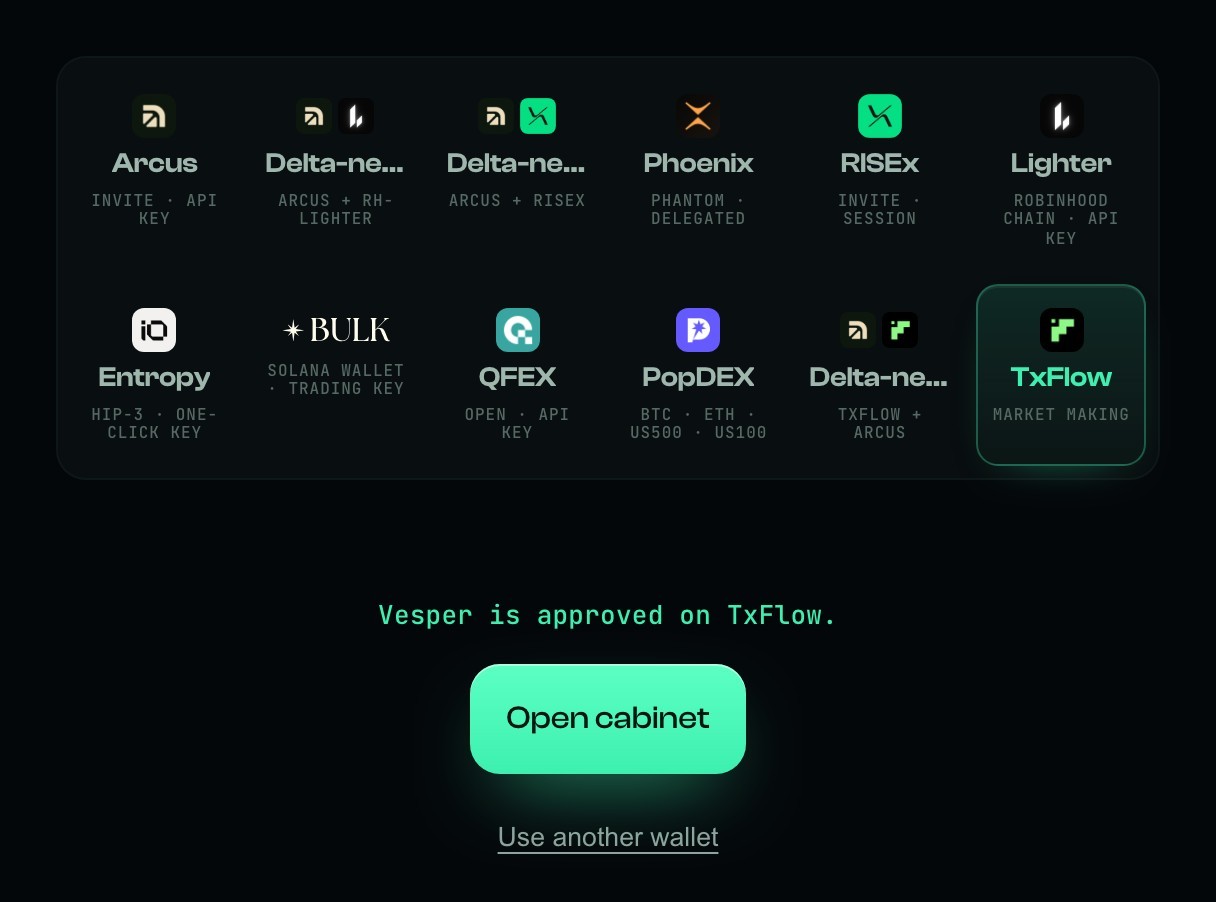
The TxFlow · Market making tile. When it says Vesper is approved on TxFlow, press Open cabinet.
Rejected a signature by mistake? Nothing changed. Press the button again. Removed Vesper's API wallet in TxFlow later? The cabinet notices within a minute and asks you to approve again with one signature.
Choose up to three markets
In the cabinet press + Add a market. Everything for that market is in one window:
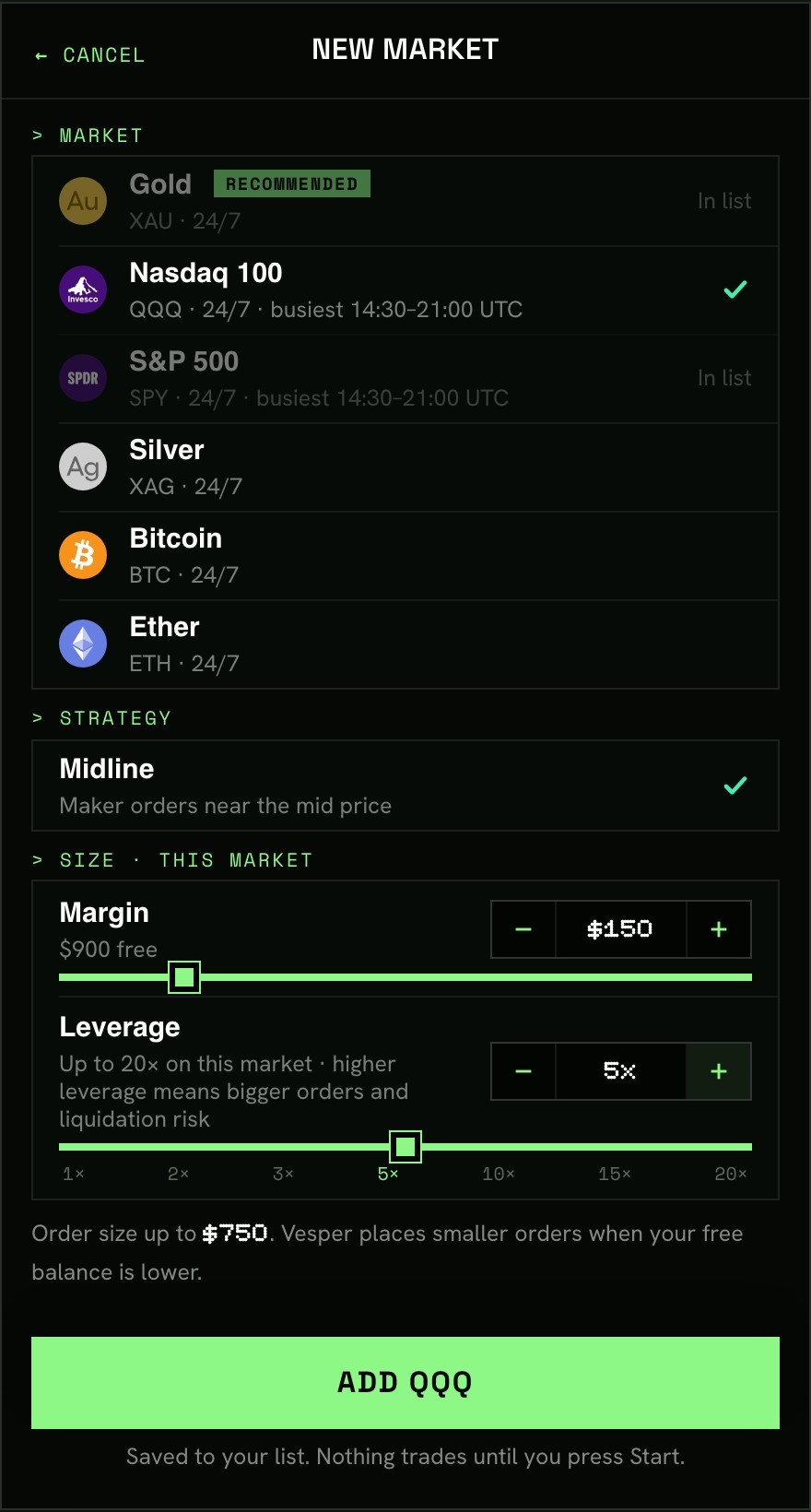
- Market
Gold is recommended: usually the cheapest to make. Silver, S&P 500, Nasdaq 100, BTC and ETH trade 24/7; indices are busiest 14:30–21:00 UTC.
- Margin
The USDC behind this market. You see how much is free.
- Leverage
Margin × leverage sets the order size, up to the market's limit (indices 20×, gold and silver 60×, crypto 75×). Higher leverage means bigger orders and liquidation risk.
Press Add. The market is saved to your list. Nothing trades until you press Start.
A calm first sessionGold alone, $10–20 of margin, 2–5× leverage. Add a second market once you have watched a few fills.
Press Start, confirm in your wallet
Press Start and confirm once in your wallet. The signature is free and moves no funds. On your first Start you also approve the Vesper fee. Within seconds each market shows Trading and orders appear at the edge of the book.
You can close the tab. The session keeps going on our servers until you press Stop.
Everything on one screen
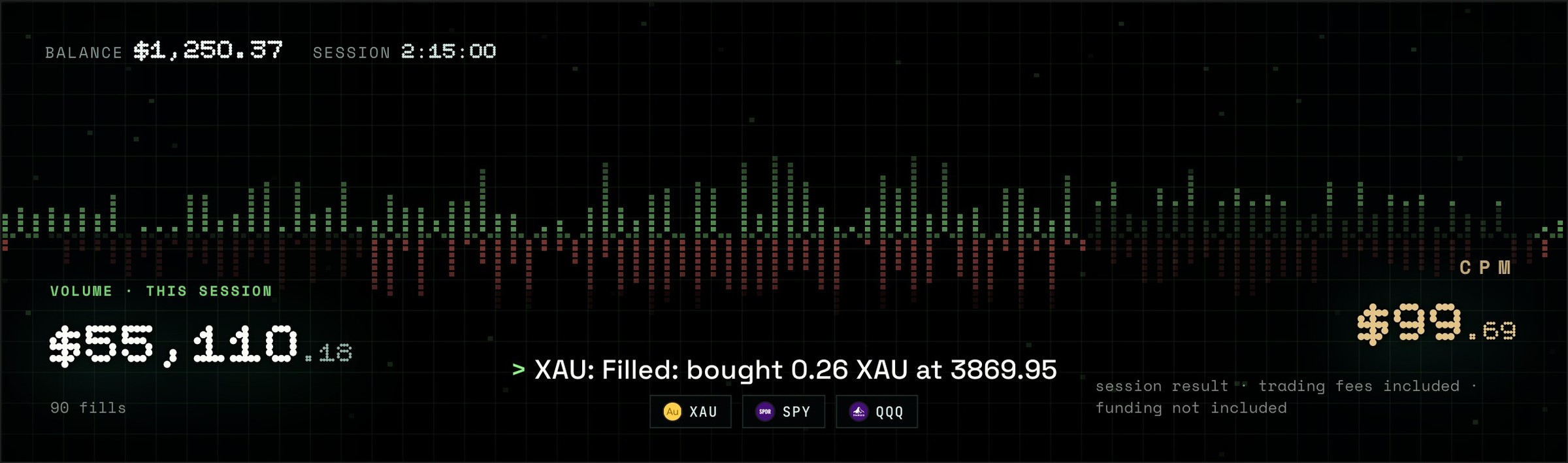
The top of the cabinet: balance, session time, volume, the status line and CPM.
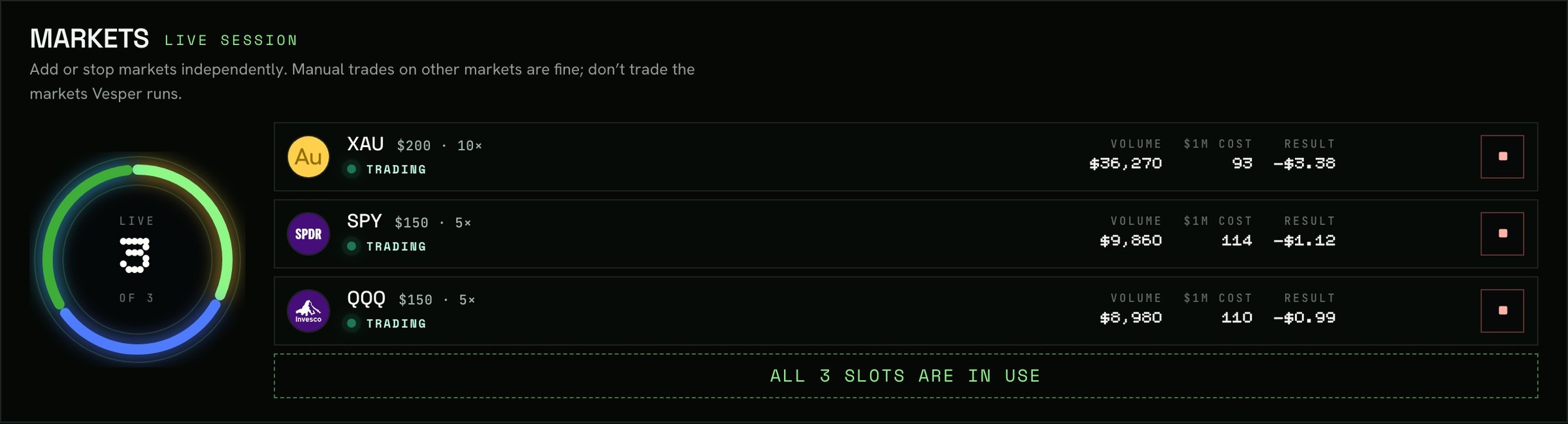
- Volume
What this session has traded, in total and per market.
- CPM
Cost per $1M traded, trading fees included (funding is not). Lower is better. It appears after $3,000 of volume: the first few fills say little.
- Status line
What Vesper is doing right now: resting buy & sell orders, holding a position and closing it, a fill, or a short pause and why (the market jumped on the leading exchange, the book is lopsided, not enough free USDC). Pauses end on their own.
- History
Every session with its markets, volume, result and CPM. Tap a session to see each market.
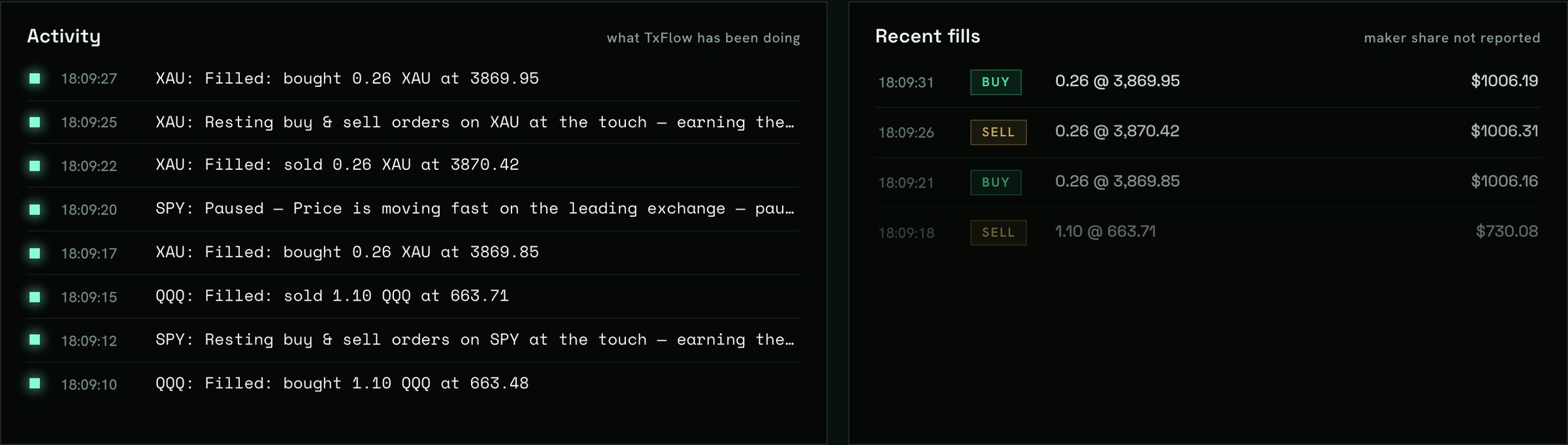
Activity: every fill, resting orders, and each short pause with its reason. Recent fills on the right.
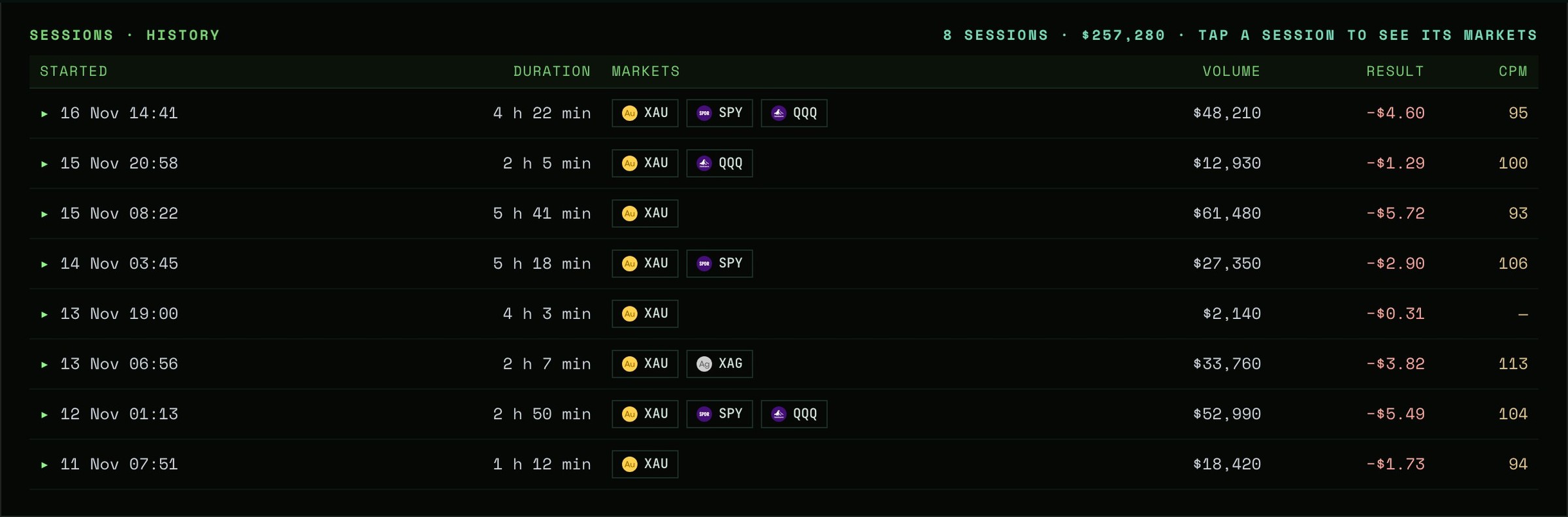
Screens from the real cabinet. Values are an example, not a forecast.
One Stop closes everything
Press Stop on one market, or Stop all markets, and confirm in your wallet. Vesper cancels its orders and closes any open position right away with a limit order within 0.5% of the price (taker fee). No second click is needed; you can leave the page.

Under the markets: fees, session result, open positions and Stop all markets. Each market card has its own Stop.
Closing the tab or disconnecting the wallet is not Stop. Don't trade the markets Vesper runs by hand; manual trades on other markets are fine.
Before you start
- How much do I need?
- $15 to start. More markets and bigger orders need more; Vesper keeps every order inside your free balance on its own.
- It says “Not enough free USDC — deposit about $N”.
- Even the smallest order no longer fits your free balance. Deposit about that amount on TxFlow, or remove a market. Vesper resumes by itself.
- It says “Paused”.
- A short safety pause: the price jumped on the leading exchange, or the book is lopsided against one side. It ends on its own, no need to press Stop.
- What does it cost?
- TxFlow maker fees on every fill, the Vesper fee of 0.003% per trade, and the difference between buy and sell prices. Funding is separate. The cabinet sums it up as CPM, the cost per $1M traded.
- Why does CPM show “first results at $3,000”?
- On the first few fills the number swings wildly. It settles after a few thousand dollars of volume.
- Can Vesper withdraw my funds?
- No. The key can place and cancel orders only. Real orders can still lose money.
What market making cannot do
Remove all risk. There is no stop-loss. Margin is cross: your whole TxFlow balance backs the positions. On high leverage a sharp move can liquidate a position before the maker exit fills.
Promise a return. Fees are certain; the rest is not. Many sessions end slightly down: you are paying for volume.
Trade the same at every hour. Quiet hours and fast markets cost more; the status line shows pauses and their reasons.
Move your funds. The key has no way to withdraw.