 Bitcoin
 Ether
 S&P 500
 Nasdaq 100
Your account. Your markets. Vesper does the work.
A market maker keeps buy and sell orders close to the current price and moves them as the price moves. Vesper does that for you on PopDEX. Your money stays in your PopDEX account the whole time.
Four markets at once
Bitcoin, Ether, S&P 500 and Nasdaq 100. Each with its own margin and leverage. Add or remove one at any time.
No withdrawals, ever
Vesper works through two PopDEX agents. They handle orders only. Moving your money is not something they can do.
One signature to start
Set each market up once. One Start signature launches them all, and they keep running with the tab closed.
Put USDT on PopDEX
Vesper trades the PopDEX account that belongs to your wallet, so the money goes there first. Open app.popdex.xyz, connect the wallet you will use with Vesper, and deposit USDT.
- Minimum$15. With less, Start stays locked and the cabinet tells you why.
- Good start$50–200. Later you choose how much each market may use.
- One walletThe same wallet for PopDEX and for Vesper.
Open your PopDEX account through our link and the discount applies to every fill. Already trading? You can open a separate account with it.
Choose the PopDEX tile
Open the connect page, tap PopDEX and press Connect wallet. MetaMask, Rabby, OKX Wallet and other EVM wallets work. Your wallet asks for one signature to show it is yours. It is a message, not a transaction. Nothing moves.
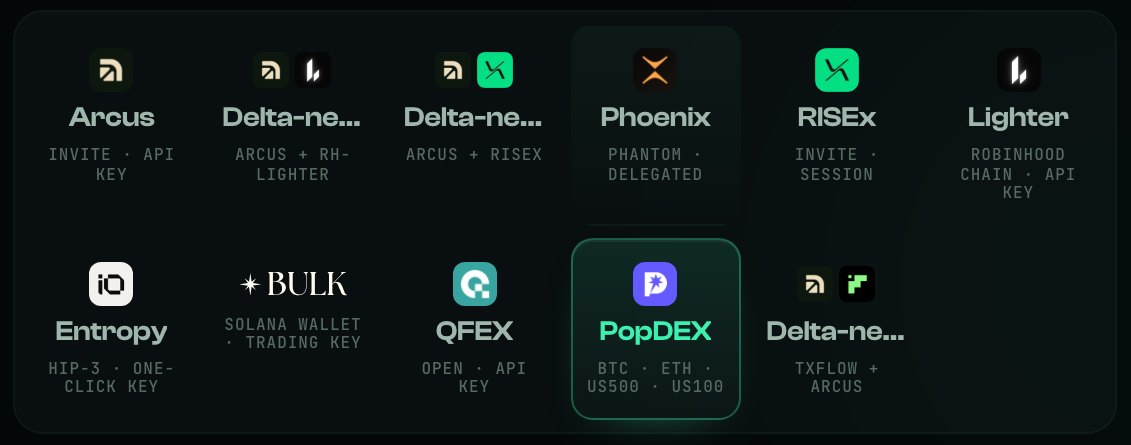
The PopDEX tile, with its four markets underneath.
Two helpers, one job each
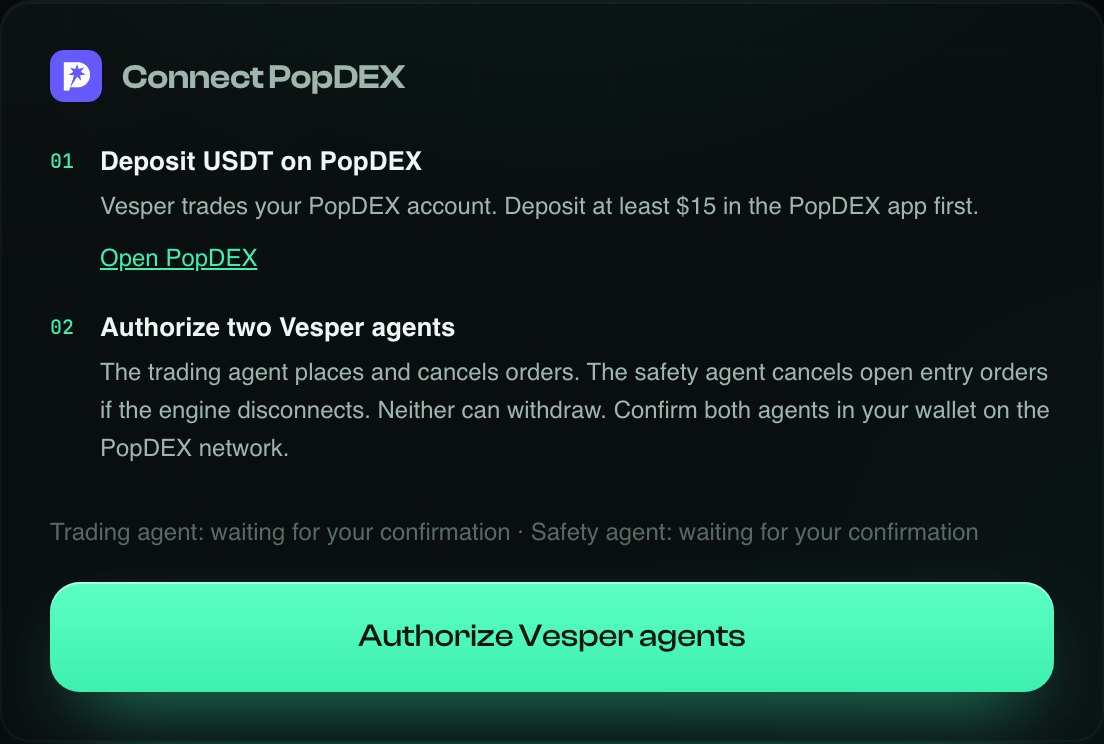
On PopDEX an account can appoint agents: addresses allowed to trade for it, never to withdraw. Vesper asks for two. You approve them once; they stay active for 180 days or until you revoke them.
Makes the market
The one that works all day.
- Places your buy and sell orders
- Moves them with the price
- Cancels them when you press Stop
- Cannot withdraw or transfer

Stands guard
Kept separate on purpose.
- Cancels open entry orders if the engine loses its connection
- Never opens a position
- Cannot withdraw or transfer
Press Authorize Vesper agents. Your wallet asks for two confirmations, one per agent, on the PopDEX network. Gas is zero.
If the wallet offers to add or switch to the PopDEX network (Morph Tachyon, chain 2184), approve it. That is where your PopDEX account lives.
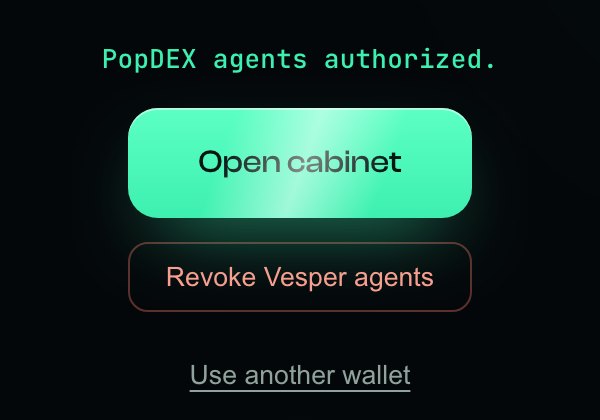
When both are approved you see PopDEX agents authorized.
- Open cabinetOn to your markets.
- Revoke agentsRemoves both agents from PopDEX. You can approve a new pair any time.
- Another walletSwitch to a different wallet.
Add up to four markets
The cabinet opens on Standby with an empty ring. Press + Add a market.
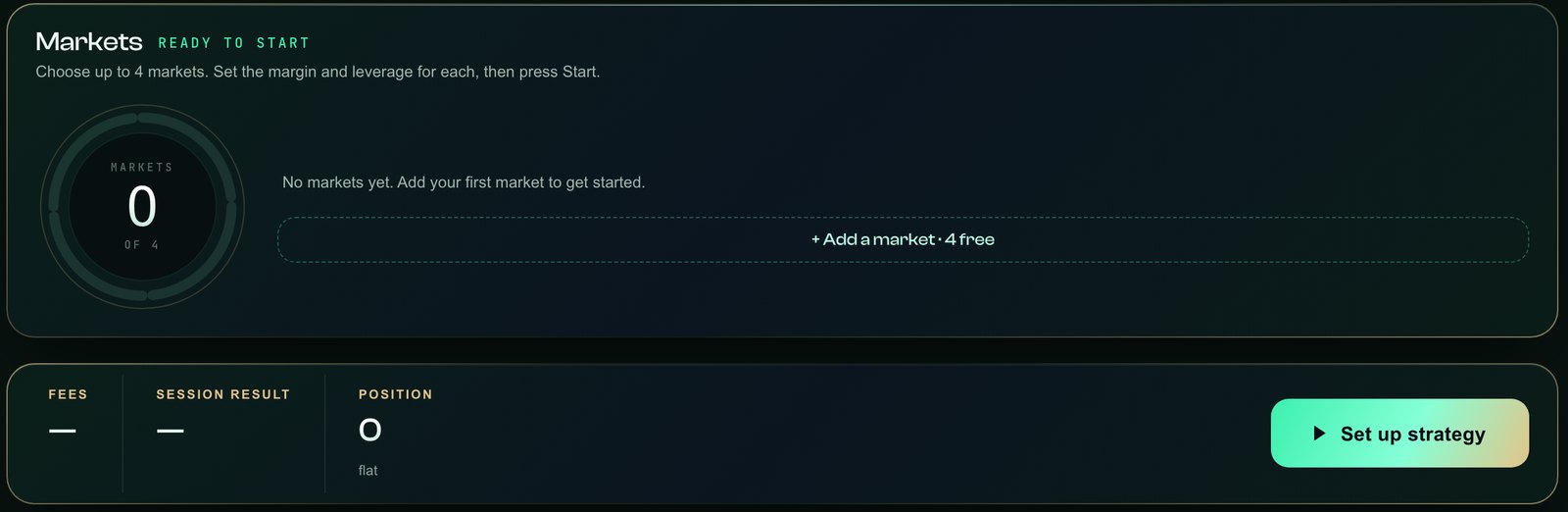
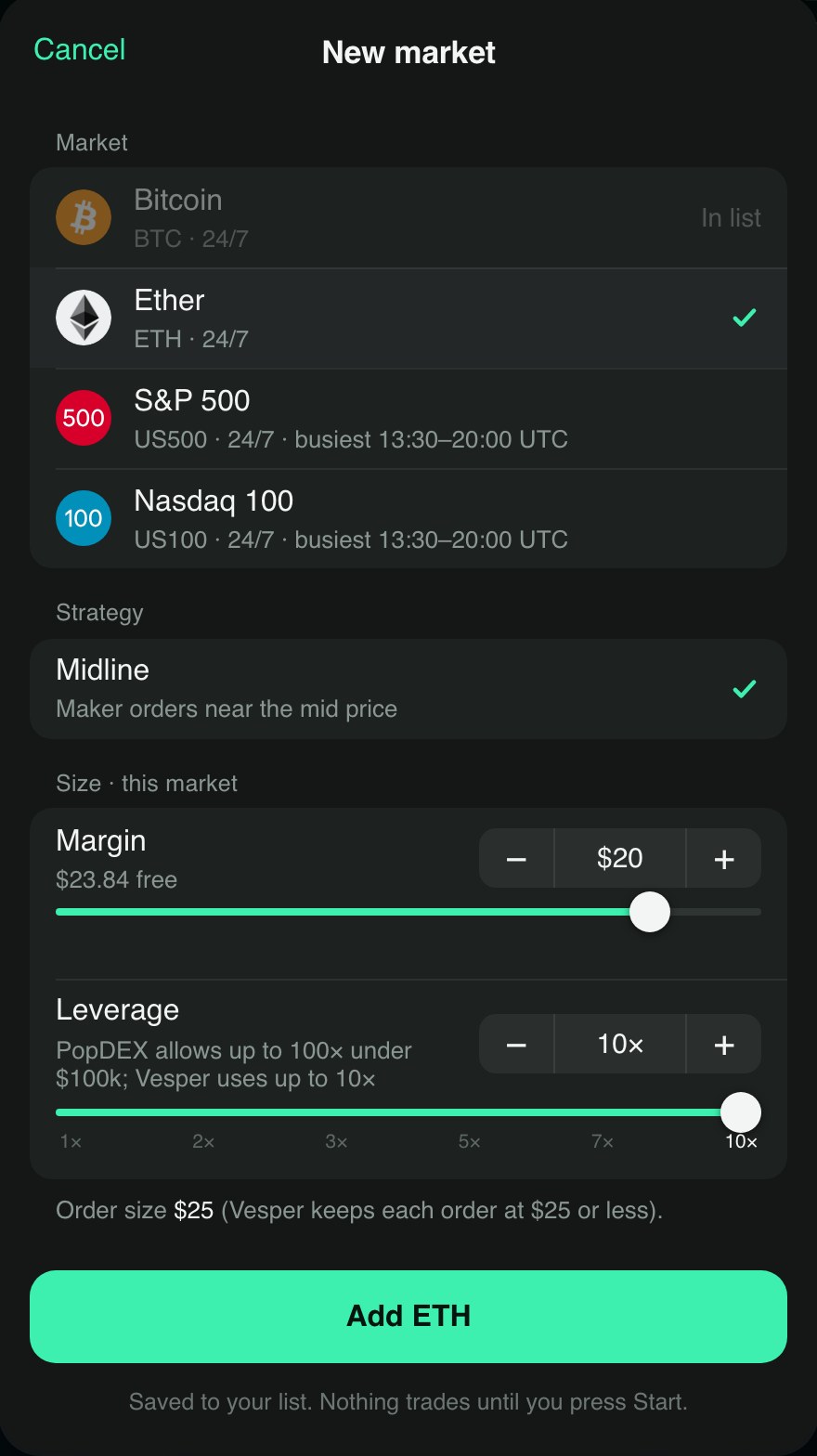
Everything for one market is in one window.
- MarketBitcoin and Ether trade around the clock. S&P 500 and Nasdaq 100 too; they are busiest 13:30–20:00 UTC.
- MarginThe dollars this market may use. The window shows what is free.
- Leverage1× to 10×. Margin × leverage sets the order size; Vesper keeps each order at $25 or less.
- Runs until StopThe market trades until you press Stop or remove it.
Press Add. It is saved to your list; nothing trades before Start.
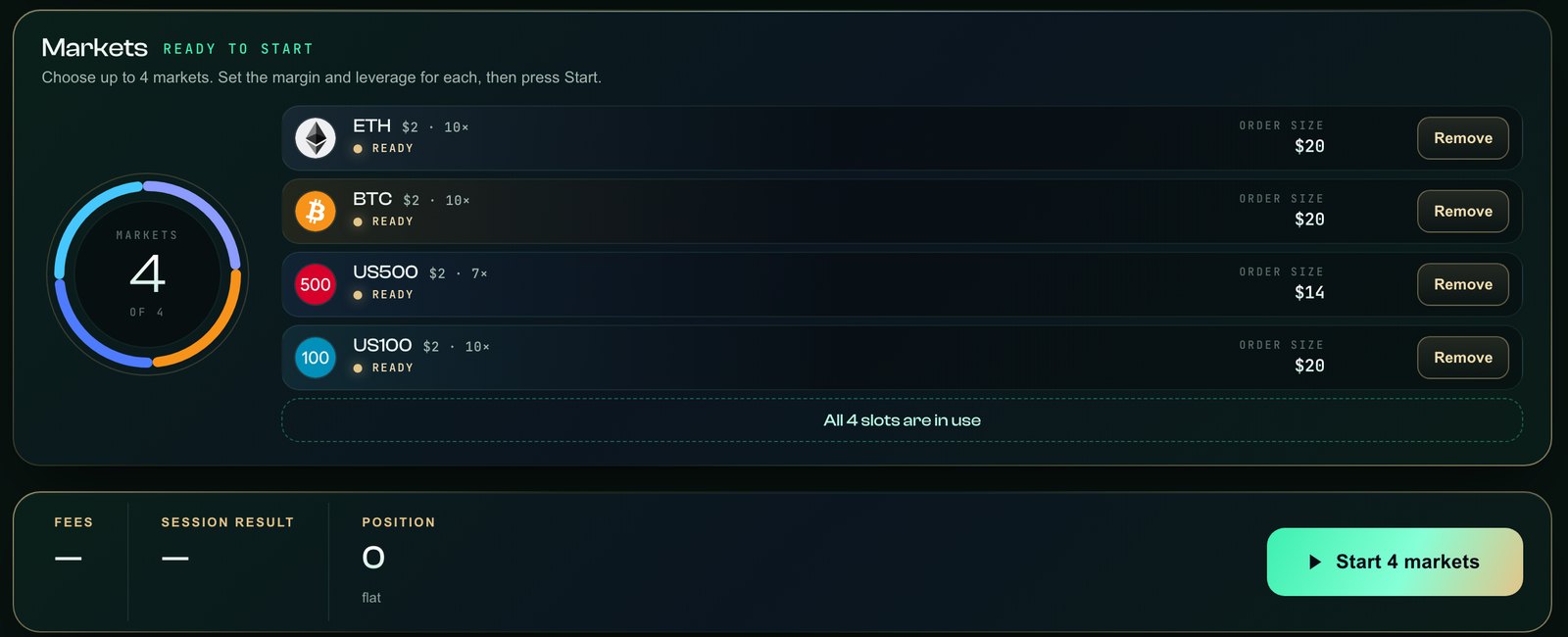
Four markets in the ring. Remove takes one off the list, even the last.
Press Start
The very first Start asks you to enable the Vesper fee. After that, Start is a single signature.
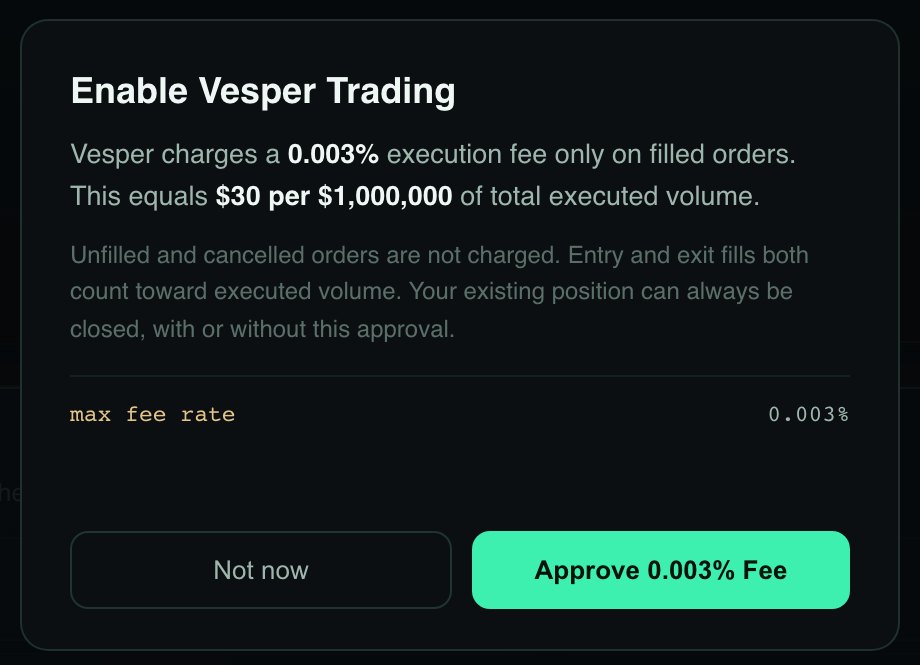
- 0.003%On filled orders only: $30 per $1,000,000 traded.
- Not chargedCancelled and unfilled orders.
- Always closableYour position can be closed with or without it.
Press Approve 0.003% Fee, then confirm Start in your wallet. You will see Start accepted, and the wave in the cabinet comes alive.
Watch it work. Stop whenever you like.
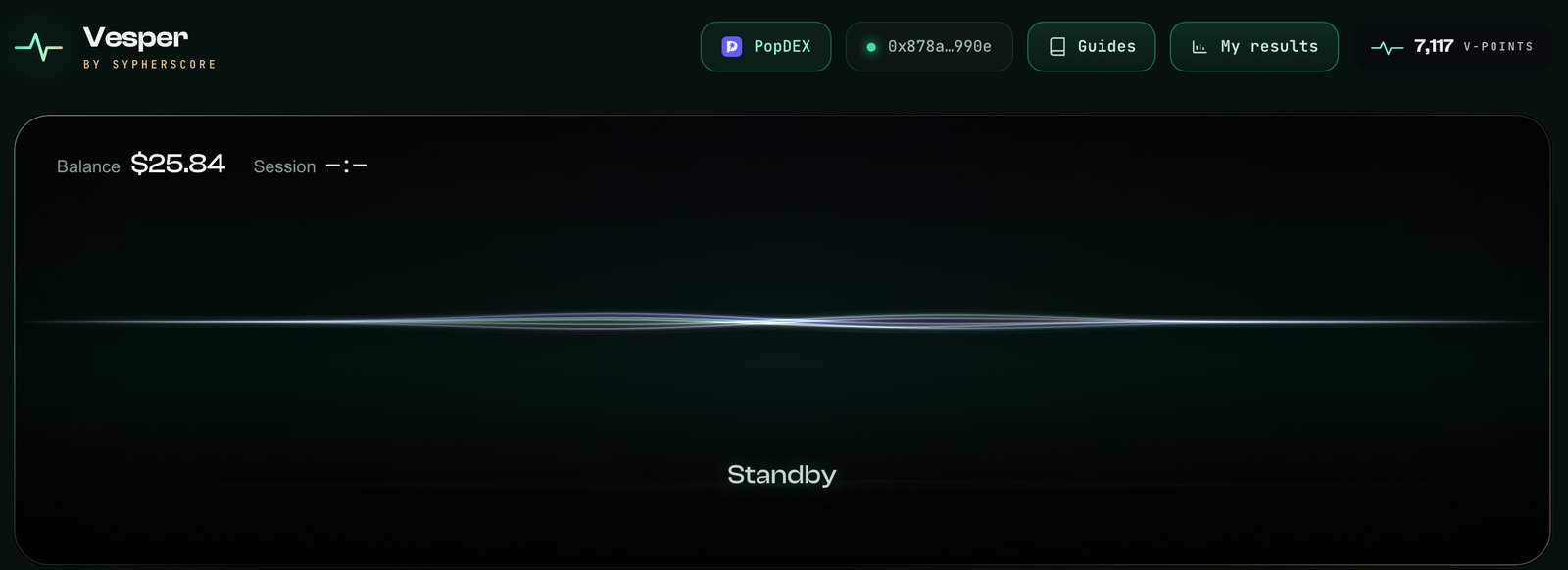
- BalanceYour PopDEX balance, live.
- MarketsEach market’s state, margin and order size.
- Fees · ResultWhat this session’s fills cost, and what they made or lost.
- PositionWhat you hold right now. Market making keeps it small.
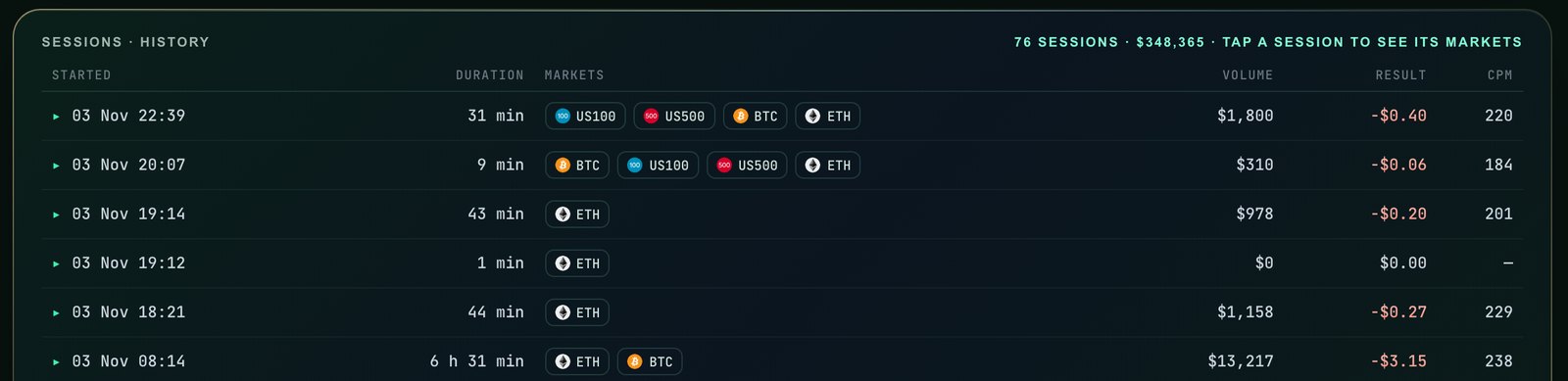
Every session is kept, with its markets, volume and result.
To stop, press Stop PopDEX and confirm in your wallet. Vesper cancels its orders and closes the position. Wait until it shows Standby.
Screens from our test wallet. Numbers are examples, not a forecast.
Before you start
Do I pay gas?
Can Vesper withdraw my money?
My wallet did not add the PopDEX network
Start is locked or says the balance is too low
I pressed “Not now” on the fee window
Can I add a market while it runs?
What does it cost?
How do I remove Vesper completely?
PopDEX
Four markets. One signature.
Connect your wallet and add your first market.
Other Vesper guides
All guides · How market making works · About Vesper · Ask the community · Discord