 Imperial
, hedged.
One asset on two Imperial markets: one leg long, one leg short. Price moves cancel out, your position stays open, and Vesper keeps the volume going around the clock. Here is every step, screen by screen.
 S&P 500 US500 + SPY
 Gold XAU + PAXG
 Nasdaq 100 US100 + QQQ
Two legs. One asset. Price moves cancel.
Imperial lists the same asset on two markets: the S&P 500 index as US500 and the SPY fund as SPY, gold as XAU and PAXG. Vesper opens one leg long and the other short, the same size. When the market rises, one leg gains what the other loses. Your money stays in your Imperial account the whole time.
Move the S&P 500
A $150 long leg and a $150 short leg. Drag the market and watch the two legs. On Imperial you will see one green and one red. What matters is the line at the bottom.
SPY and US500 are not perfect twins, so the total drifts by a few cents and comes back.
Hedged by design
Long on one market, short on the other, the same asset and the same size. You hold a position without betting on the price.
Built for Imperial points
The pair stays open, and about every 40 minutes Vesper re-opens one leg to keep volume flowing. Open positions and volume together.
Trade-only access
One free signature with Phantom. Vesper can open and close positions on your Imperial account. It cannot withdraw.
Buys and sells around the price on one venue. Small positions come and go, so price moves can cost money.
Two accounts on two exchanges, two balances to fund and watch.
Long and short on two markets of the same venue. One deposit, one wallet, one signature.
Put USDC on Imperial
Vesper trades the Imperial account of your Solana wallet, so the money goes there first. Open imperial.trade, connect your wallet and deposit USDC.
- MinimumAbout $10 on Imperial. Set any margin up to your balance — Vesper sizes the legs to the money you actually have and keeps adjusting as the balance moves.
- Good start$50–200. You decide how much each pair may use in step 4.
- One walletUse the same wallet on Imperial and on Vesper: Phantom, Solflare or Backpack.
- First time?Connect the wallet on imperial.trade once before you come to Vesper. It creates your Imperial account.
Choose the Imperial tile
Open the connect page, tap Imperial and press Connect wallet. On a phone, open the page inside the Phantom app: Browser, then paste the address.
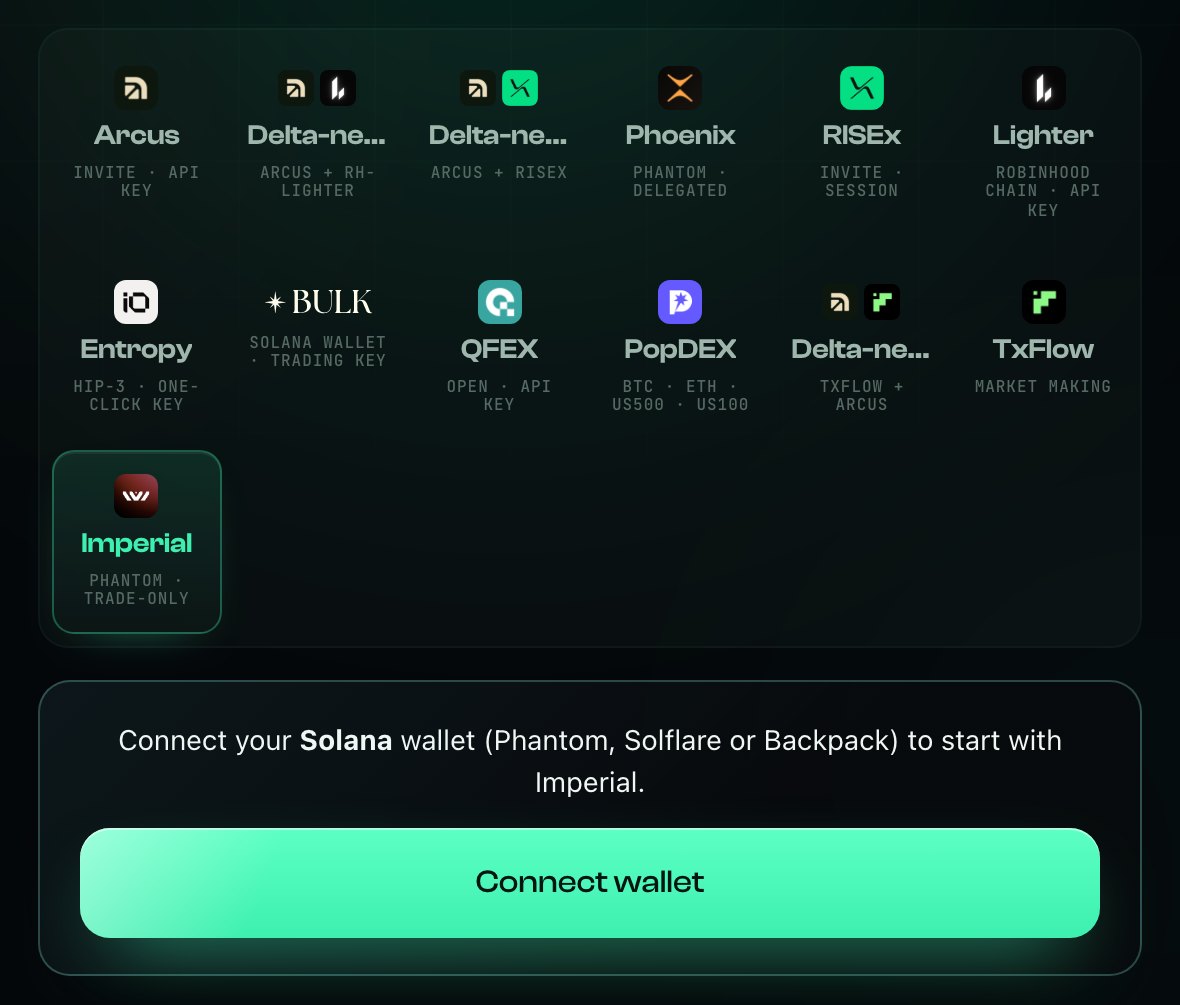
The Imperial tile, ready to connect.
One signature. Free, no gas.
Your wallet asks you to sign a short message from Imperial. It is a message, not a transaction: nothing moves and nothing is paid. Imperial gives Vesper a trading key for your account, and the cabinet opens.
imperial:mobile-connect:7xKX…a1Fq:1795512000
- AccessTrade-only, for about a month. The cabinet shows the days left; sign in again when it gets close.
- WithdrawalsNever through Vesper. Your funds stay on Imperial.
- Reset keyCuts Vesper’s access at any time. Stop your pairs first.
Choose a pair and a size
The cabinet opens on Standby. Press + Add a pair. Everything for one pair is in one window: the asset, the margin and the leverage. Add up to four pairs.
The index and the fund move almost as one. The steadiest pair.
Gold on Imperial and tokenized gold. Calm, and cheap to run.
Tech-heavy index and its fund. Add it as a second pair.
Which leg is long is decided at Start and can differ from these examples.
- MarginThe dollars this pair may use. The window shows what is free on Imperial.
- LeverageThe same on both legs. Each leg is margin × leverage ÷ 2 and must be at least $18.
- Example$40 at 5× gives two $100 legs.
- BTC / ETHAlso offered, marked “higher cost”: two different coins that usually move together, so some days cost more.
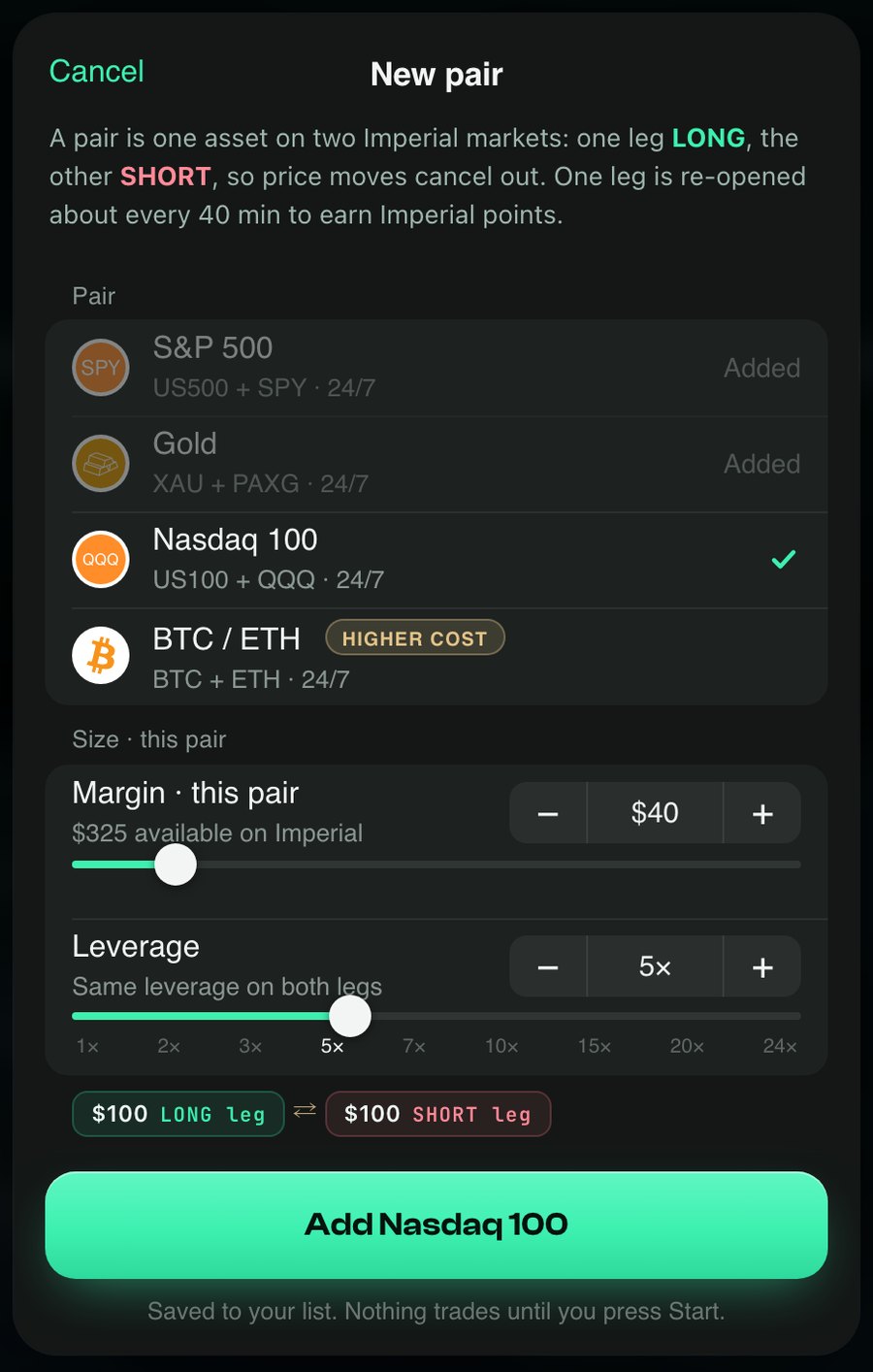
Press Start. Both legs open.
Your pairs show Ready. Press Start and confirm one signature that lists exactly what you start. Both legs open within seconds.
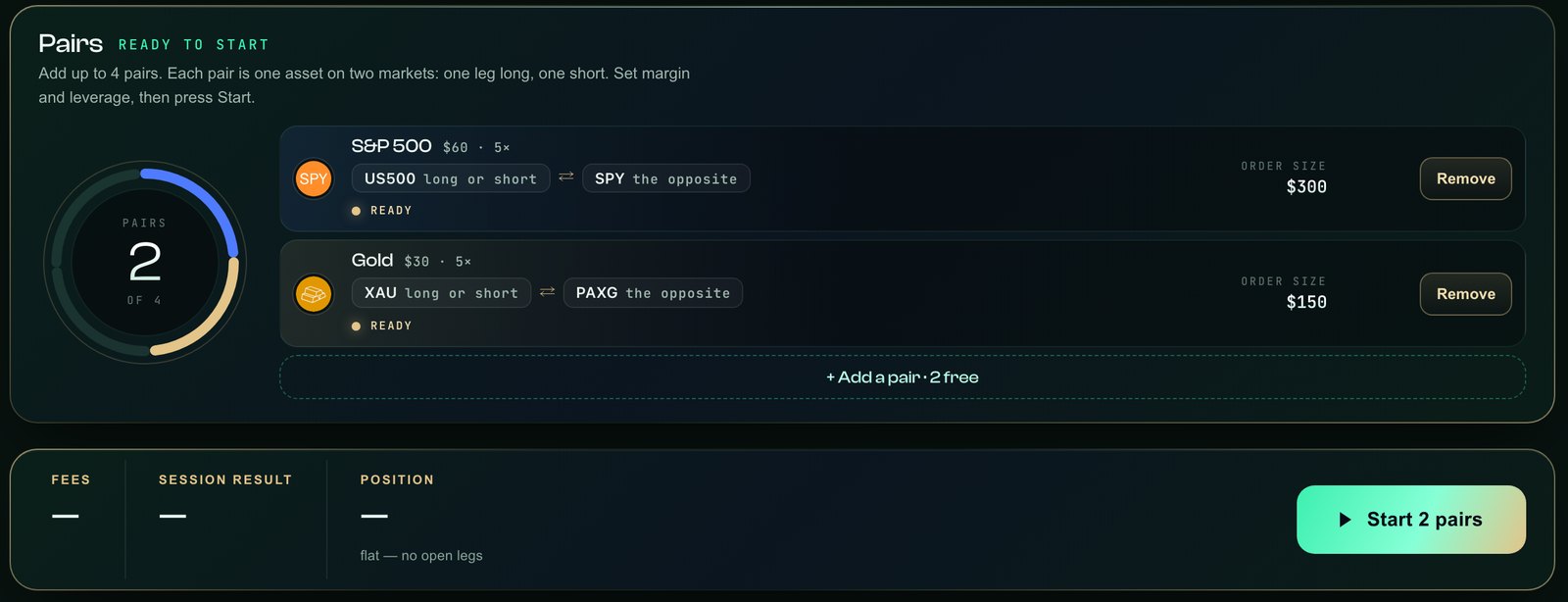
Close the tab whenever you like. The session keeps running.
Watch it work. Stop anytime.
The cabinet shows the volume of the session, what it cost you per $1M (CPM), each pair with its two legs, and every fill on both legs straight from Imperial.
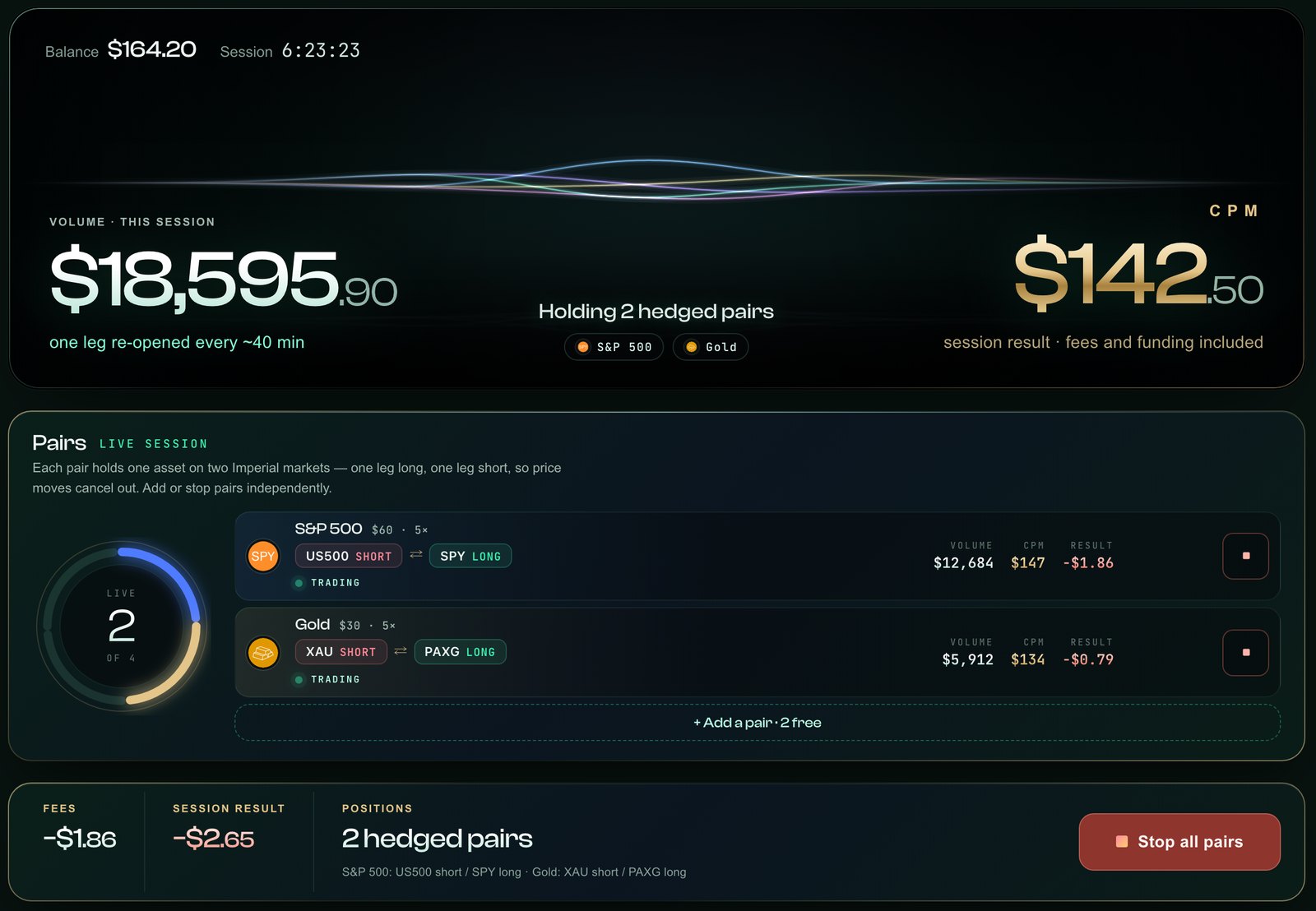
- VolumeEverything traded this session, both legs of every pair.
- CPMCost per $1M of volume: fees and price together. It appears after the first $1,500.
- PairsEach card shows its legs, volume, CPM and result. The square button stops just that pair.
- Stop all pairsOne signature. Vesper closes both legs of every pair and checks that nothing is left open on Imperial, usually within a minute.
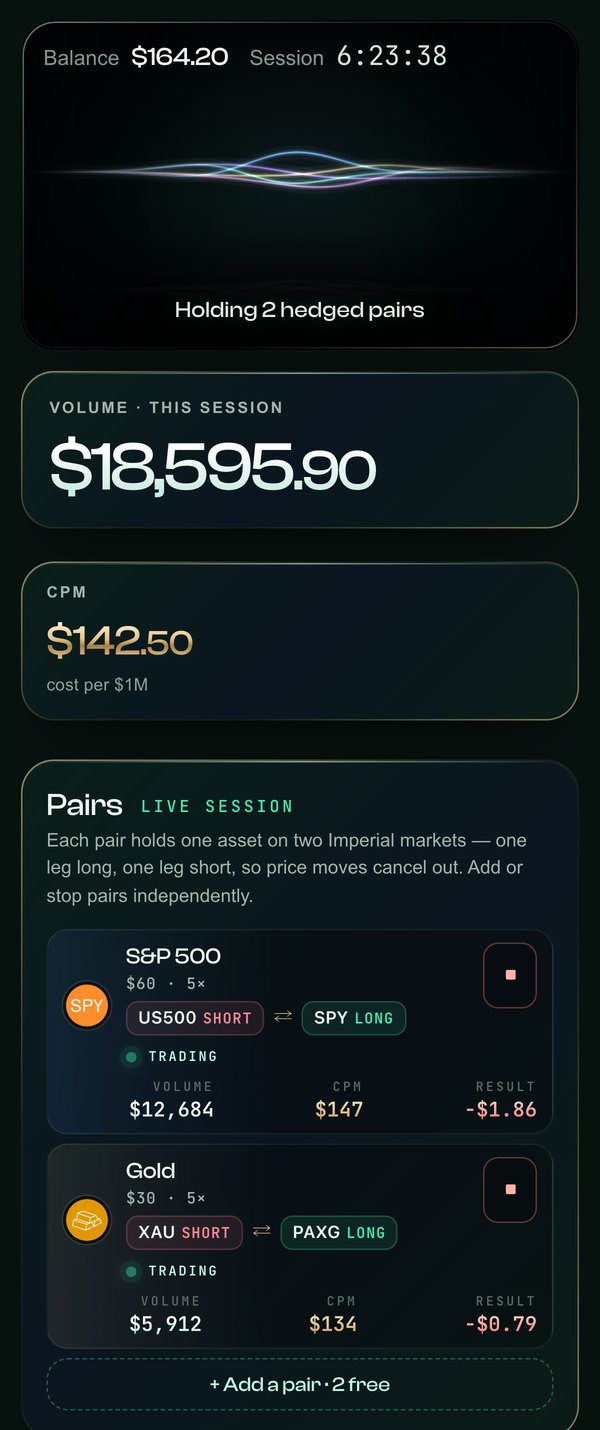
Screens from our test wallet. Numbers are examples, not a forecast.
Before you start
On Imperial one leg is red. Is something wrong?
What does it cost?
Can Vesper withdraw my money?
Which wallet do I need?
Do I need more balance than the margin I set?
Start is locked or asks me to deposit more
Can I trade on Imperial myself at the same time?
Is closing the tab the same as Stop?
Imperial
Two legs. One signature.
Connect your wallet and add your first pair.
Other Vesper guides
All guides · How market making works · About Vesper · Ask the community · Discord