 QFEX
QFEX, on autopilot.
The S&P 500, gold and SanDisk, around the clock. Vesper keeps maker orders on your own QFEX account, day and night. Connect with one wallet signature. Here is every step, screen by screen.
 S&P 500 US500
 Gold GOLD
 SanDisk SNDK
 Nasdaq 100 US100
Your account. Wall Street hours, every hour.
A market maker keeps buy and sell orders close to the current price and moves them as the price moves. Vesper does that for you on QFEX, on stocks, indices and gold. Your money stays in your QFEX account the whole time.
Real-world markets, 24/7
The S&P 500, gold, SanDisk and the Nasdaq 100 as perpetuals that never close. Start with the S&P 500: our most efficient market.
Vesper never withdraws
Vesper only places and cancels orders. Your funds never leave your QFEX account through Vesper.
One signature to connect
Sign in to QFEX with your wallet? One free signature and Vesper gets its trading key. Nothing to copy.
Put USDC on QFEX
Vesper trades your own QFEX account, so the money goes there first. Open qfex.com, sign in and deposit USDC on Arbitrum.
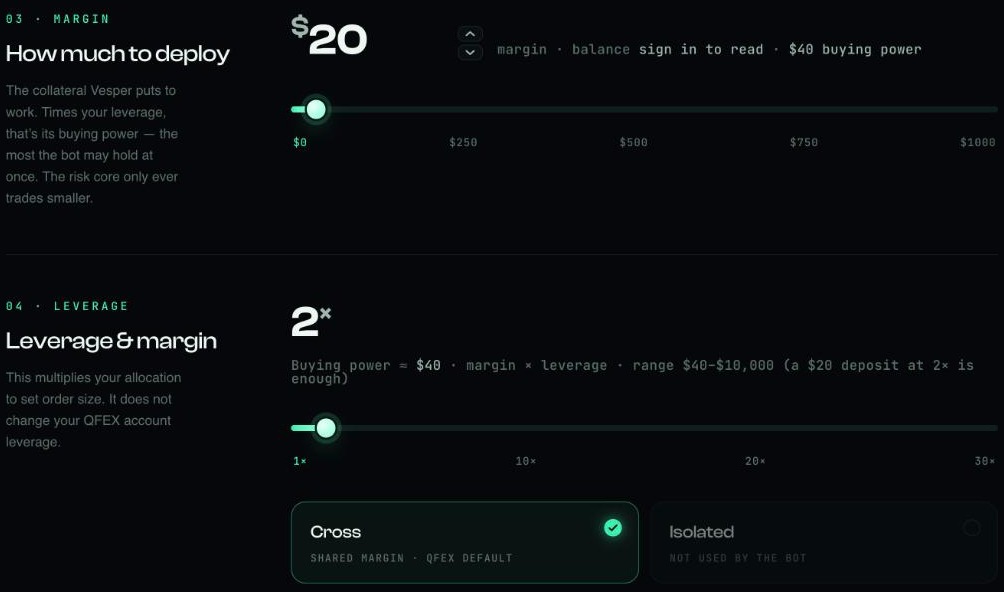
- Minimum$20 of margin is enough to start: at 2× that is $40 of buying power.
- Good start$50–200. You choose how much Vesper may use in the next steps.
- One accountKeep manual trades on another QFEX account, so the bot’s numbers stay clean.
Choose the QFEX tile
Open the connect page, tap QFEX and press Connect wallet. MetaMask, Rabby, OKX Wallet and other EVM wallets work. Your wallet asks for one signature to show it is yours. It is a message, not a transaction. Nothing moves.
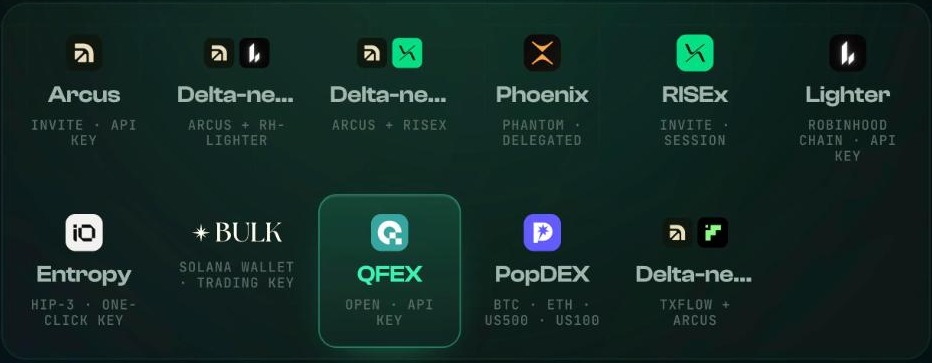
The QFEX tile, ready to connect.
Two ways in. Pick yours.
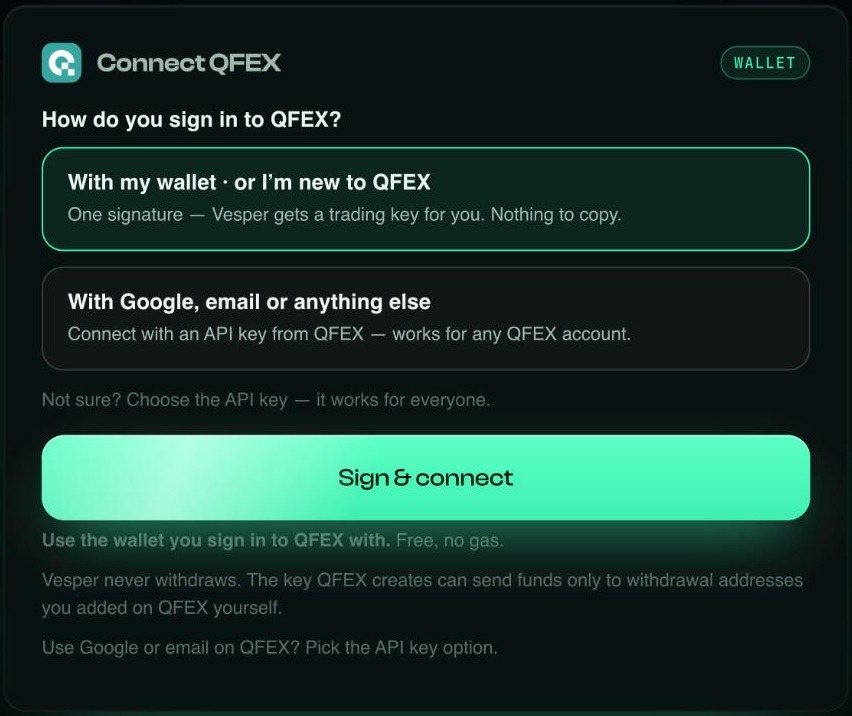
Vesper asks one question: how do you sign in to QFEX? Choose the way you already log in there.
Sign & connect
Wallet sign-in on QFEX, or new to QFEX.
- One free signature, no gas
- QFEX creates a trading key for Vesper
- Nothing to copy or paste
- Ready in about 30 seconds
Paste one key
Google, email or any QFEX account.
- Create a key in Developer Settings
- Tick four permissions
- Paste both halves into Vesper
- Deposit & withdraw stays off
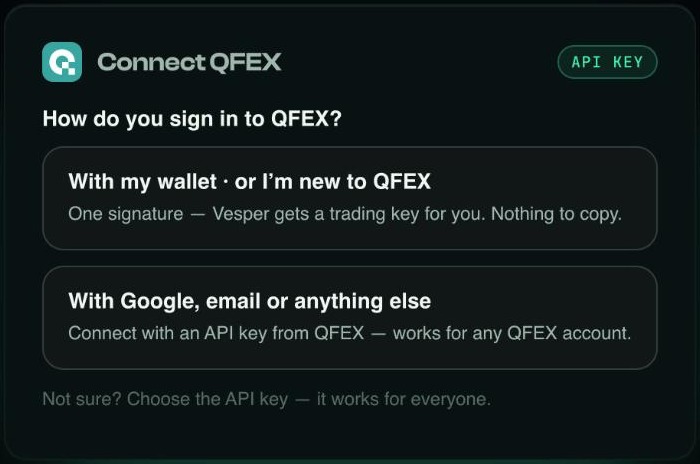
Not sure? The API key works for everyone.
Press Sign & connect and approve one message in your wallet. It is free and costs no gas. QFEX creates a trading key for Vesper and the cabinet opens.
Use the same wallet you sign in to QFEX with. New to QFEX? The signature opens your account; deposit USDC there and press the button again.
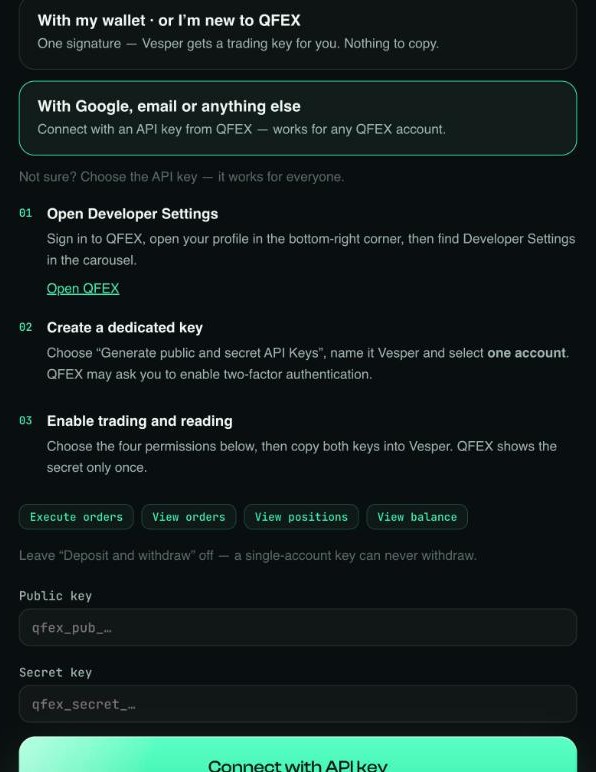
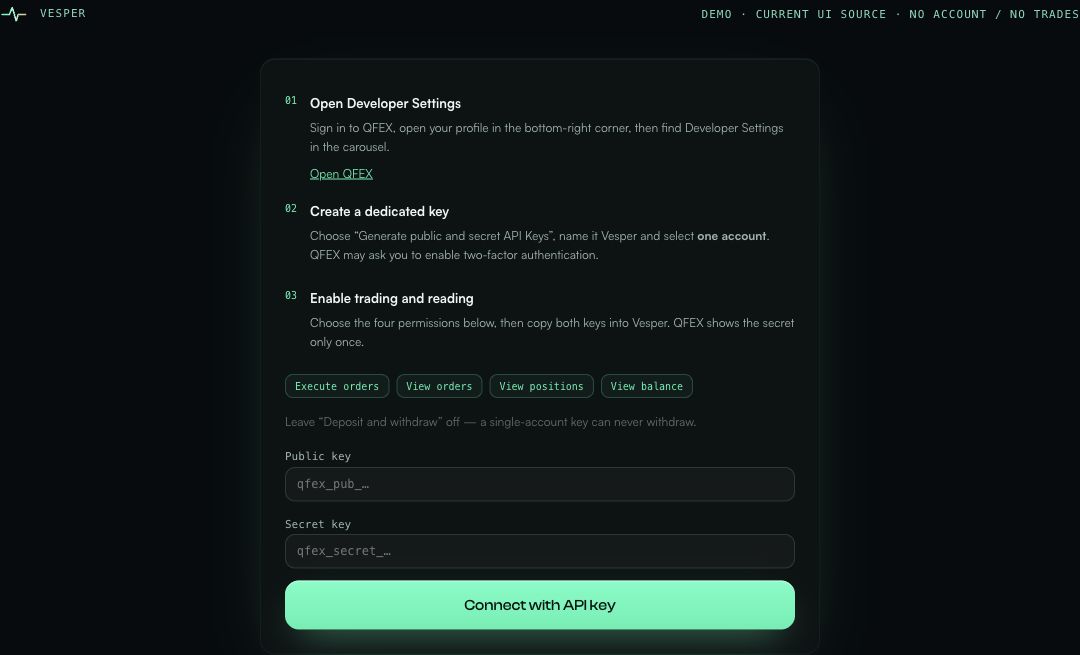
On qfex.com open your profile, then Developer Settings.
- Create“Generate public and secret API keys”, name it Vesper, choose one account.
- PermissionsExecute orders, View orders, View positions, View balance.
- Leave offDeposit & withdraw. Vesper never needs it.
- PasteBoth halves. QFEX shows the secret only once.
Choose a market and a size
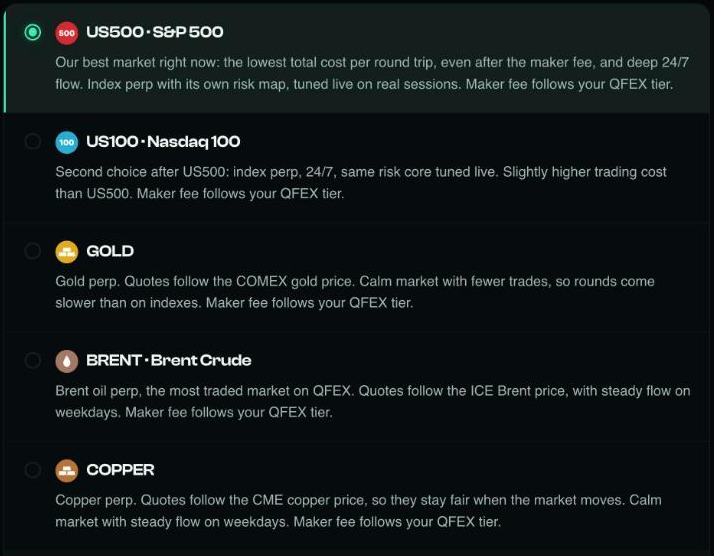
The settings page opens. Pick the market first. US500 is selected for a reason: the lowest total cost per round trip of any QFEX market, with deep 24/7 flow.
Then the size.
- MarginThe dollars Vesper may put to work.
- LeverageMargin × leverage is the most the bot may hold at once. It does not change your QFEX account leverage.
- CrossShared margin, the QFEX default. Vesper does not use Isolated.
Save, then Start
Save your settings first. Then press Start and confirm one signature.


Close the tab whenever you like. The session keeps running on our servers.
Watch it work. Stop anytime.
The cabinet shows your rounds, volume and the cost of each round as they happen.
To stop, press Stop and confirm in your wallet. Vesper cancels its orders and closes the position. Wait until it shows Standby.
Screens from our test wallet. Numbers are examples, not a forecast.
Before you start
Which way should I sign in?
Do I pay gas?
Can Vesper withdraw my money?
I signed with my wallet, but QFEX could not read the account
Which market should I start with?
What does it cost?
QFEX
The S&P 500. One signature.
QFEX Season 0 is in full swing. Be early.
Other Vesper guides
All guides · How market making works · About Vesper · Ask the community · Discord