 Ondo
Three lanes. Three markets. One signature.
Every week Ondo splits a reward pool between traders who keep orders close to the price and who trade volume, across 20 markets. LUMEN is built for that pool. It keeps a buy and a sell order next to the price on every market you pick, and runs them together in one session.
Up to three markets at once
Indices, gold and silver, oil, crypto and US stocks. Each market has its own margin and leverage, and you can add or stop one on the fly.
Made for the weekly pool
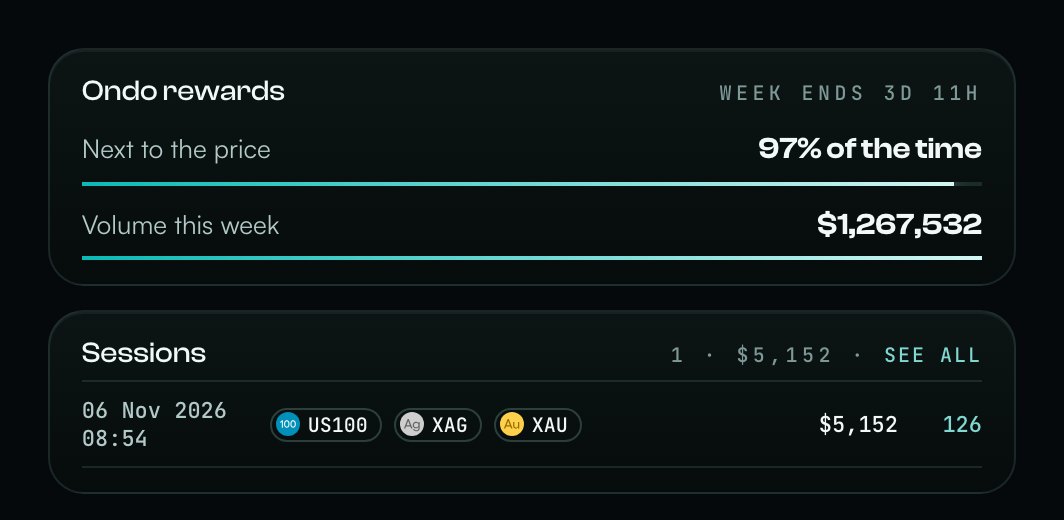
The dashboard shows how much of the time your orders sit next to the price and your volume this week: the two things Ondo rewards.
Sets built by traders
Browse presets other traders run, see their real CPM, like the good ones and share your own. One tap loads a preset.
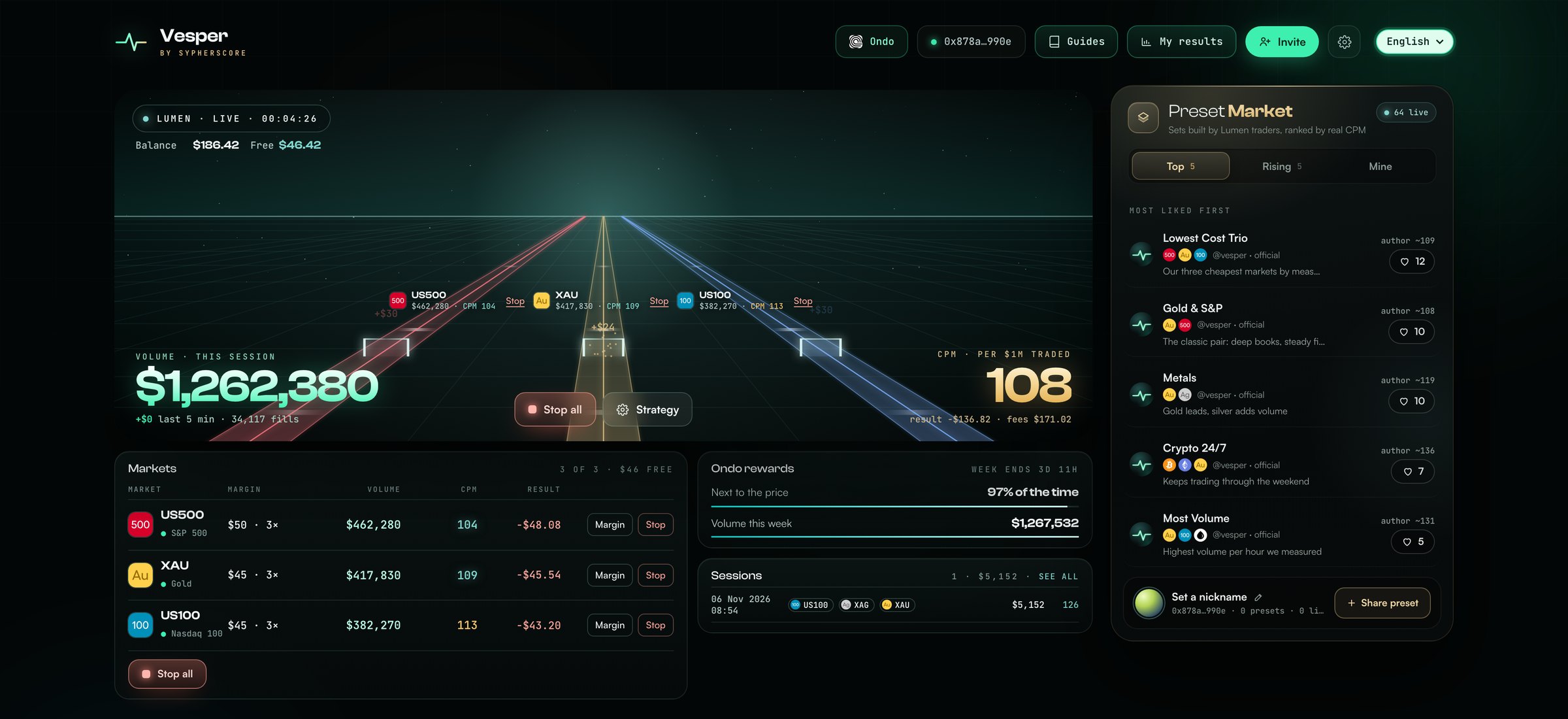
The LUMEN dashboard: three lanes for three markets, the session in numbers, and Preset Market on the right.
Put USDC on your Ondo account
LUMEN trades on your own Ondo Perps account, with your own money. Vesper never holds it. Deposit USDC on Ondo with the wallet you will connect.
- Minimum$10 of margin for each market. One market works; three markets need at least $30.
- Good start$100–300 runs two or three markets with room to spare.
- WhereOndo Perps → Deposit. No account yet? The button below creates one.
Use the same wallet you will connect to Vesper. Code 867C4M is filled in for you.
One signature, and LUMEN opens
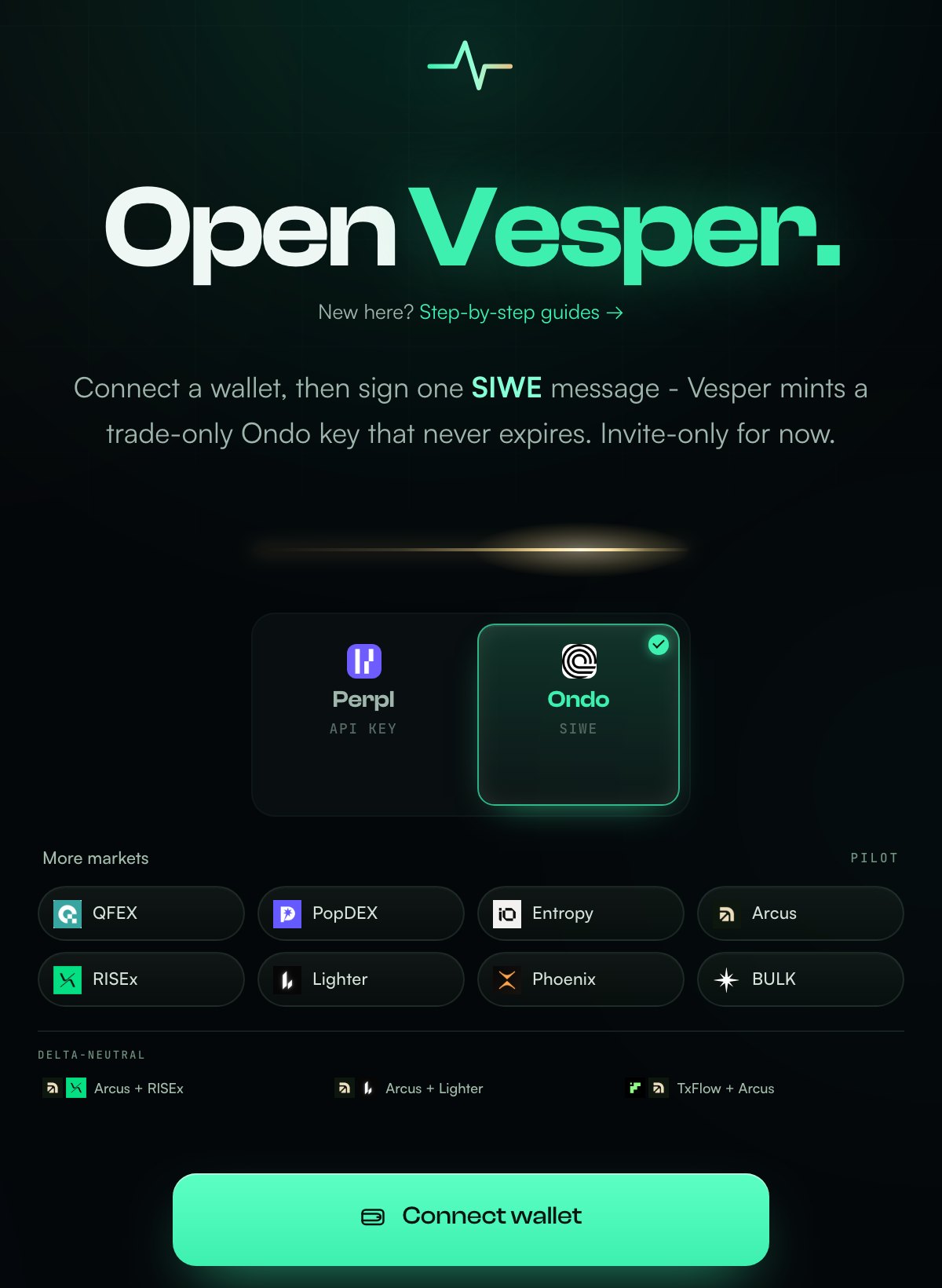
Open the connect page, pick Ondo and press Connect wallet. MetaMask, Rabby, OKX Wallet and other EVM wallets work.
- 1 signatureCreates a trade-only Ondo key for Vesper. Nothing to copy or paste.
- SecondsYour key reaches LUMEN by itself.
- SafeThe key can place and cancel orders. It cannot withdraw.
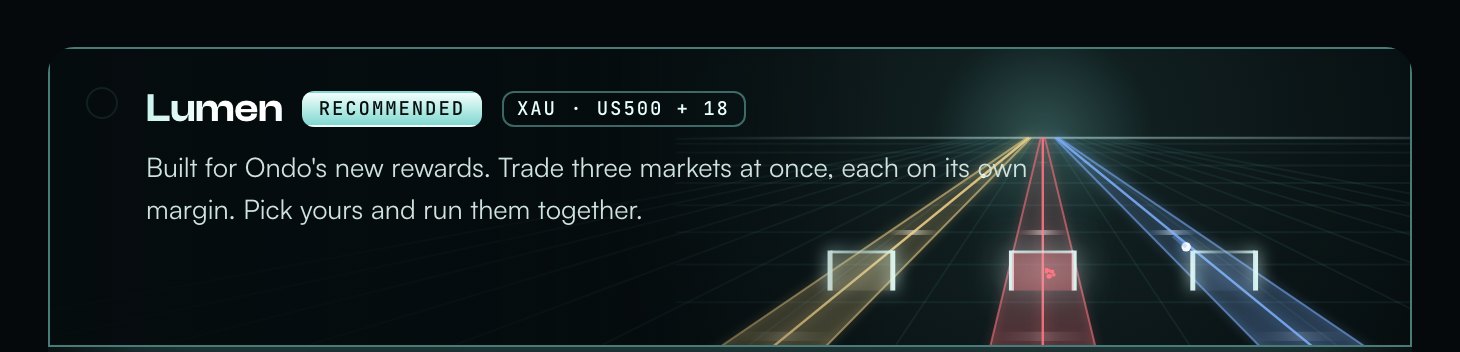
With no other Ondo session running, Vesper takes you straight to LUMEN. You can also pick it any time under Strategy & risk, where it is the recommended mode.
Choose your own, or start from a set
With nothing running, the Markets panel gives you two ways in.
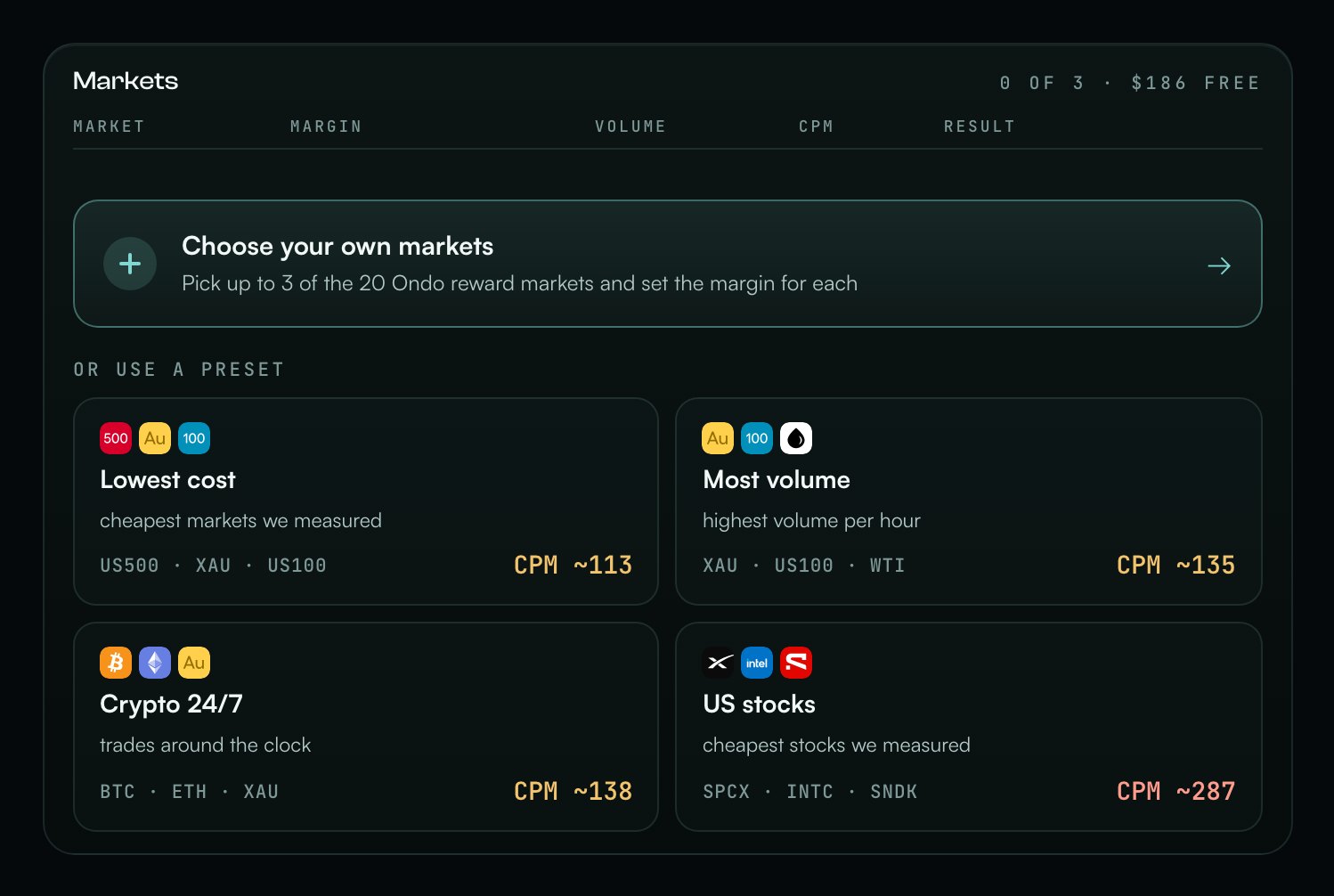
- Your ownChoose your own markets opens the full list.
- A setLowest cost, Most volume, Crypto 24/7 or US stocks picks three markets for you.
- CPM ~What the set cost per $1M on our test account. Lower is cheaper.
Both open the Add markets window. Left: all 20 markets with tabs, search and the CPM we measured. Right: your selection, with margin and leverage for each one.
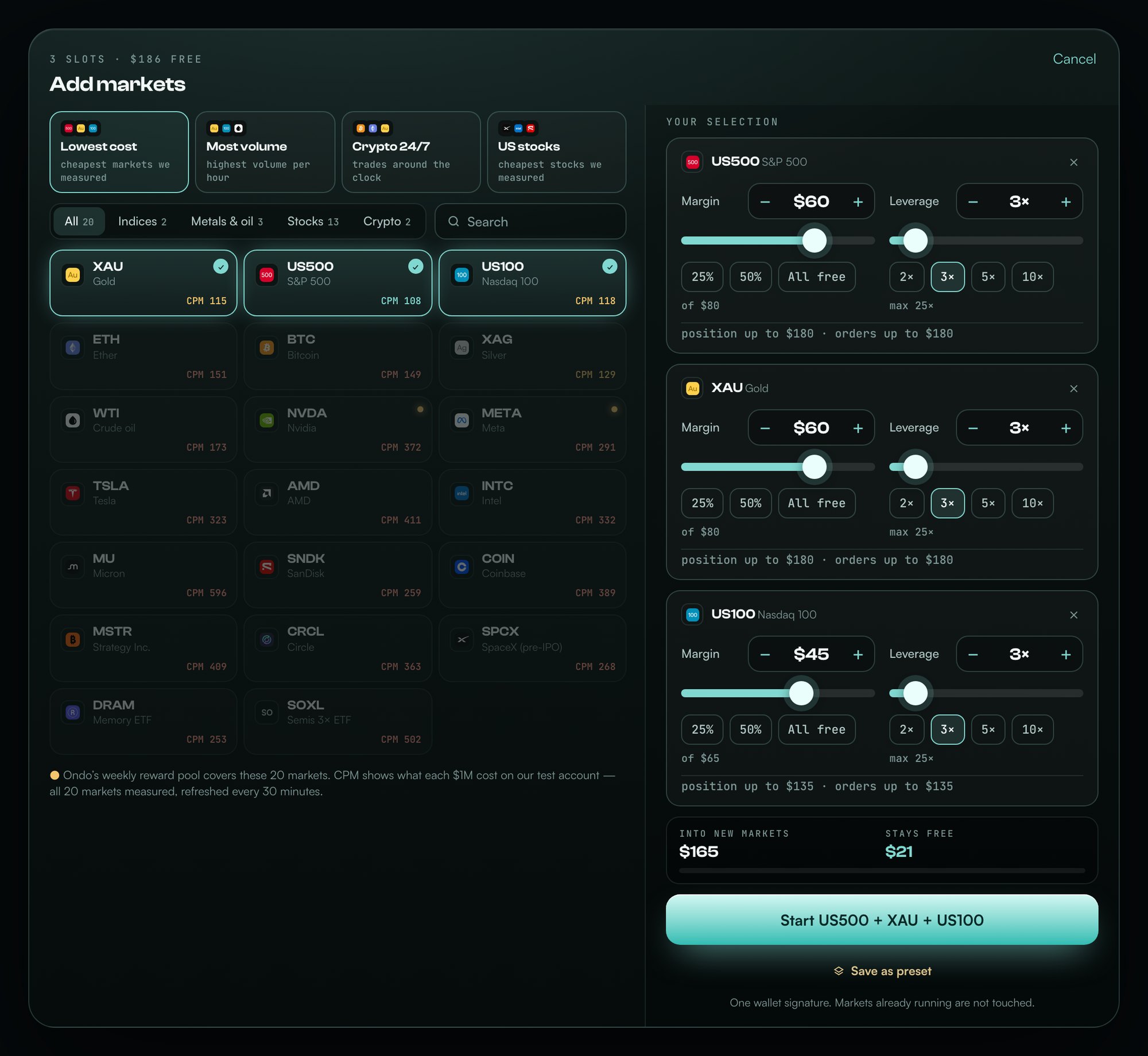
- MarginThe dollars behind each market, at least $10. 25%, 50% and All free help you split.
- LeverageMargin × leverage is the largest position that market can hold. Each market shows its limit.
- SummaryWhat goes into the new markets, and what stays free on your account.
- Save as presetKeeps this selection for later, or shares it in Preset Market.
A preview, nothing is sent. CPM is what each market cost per $1M on our test account; the session’s CPM is weighted by margin. Leverage 3×.
Press Start, sign once, done
Press Start in the window and confirm in your wallet. Every market you chose starts together.
The session runs on our servers. Close the tab if you like: it keeps going until you press Stop. Want another market later? Add a market starts it with one more signature; the others are not touched.
Everything on one screen
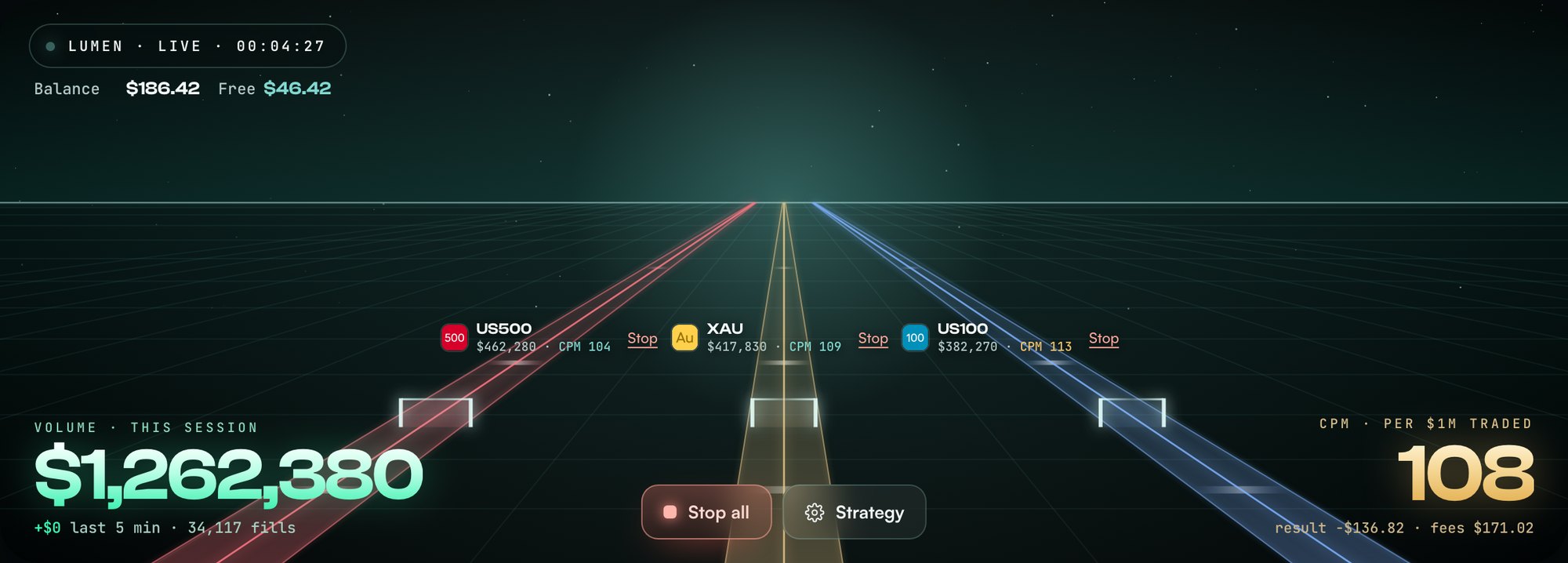
Each lane is one market. Every light that reaches a gate is a real fill on your Ondo account.
 US500
 XAU
 US100
- VolumeWhat the session has traded across all markets, and the last five minutes underneath.
- CPMNet cost per $1M traded: fees minus rebates plus the trading result. Lower is better.
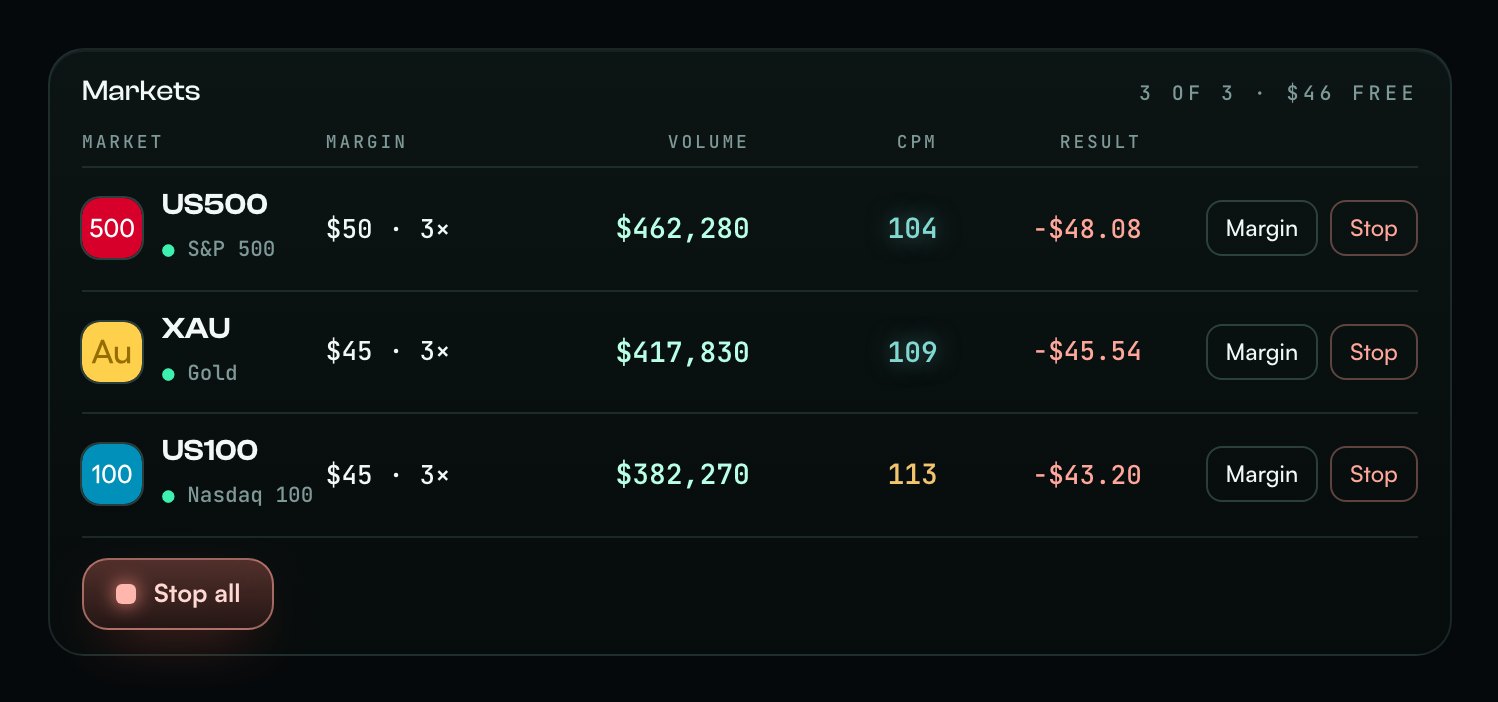
- MarketsMargin, volume, CPM and result for each market. Margin changes it on the fly; Stop stops just that one.
- RewardsTime next to the price, your volume this week, and when the reward week ends (Tuesday 00:00 UTC).
Sets built by traders. Ranked by real CPM.
A preset is a set of markets with a share of margin and a leverage for each. Traders share presets in a feed on the right of the dashboard. You can run any of them in one tap, like the ones that work, and share your own.
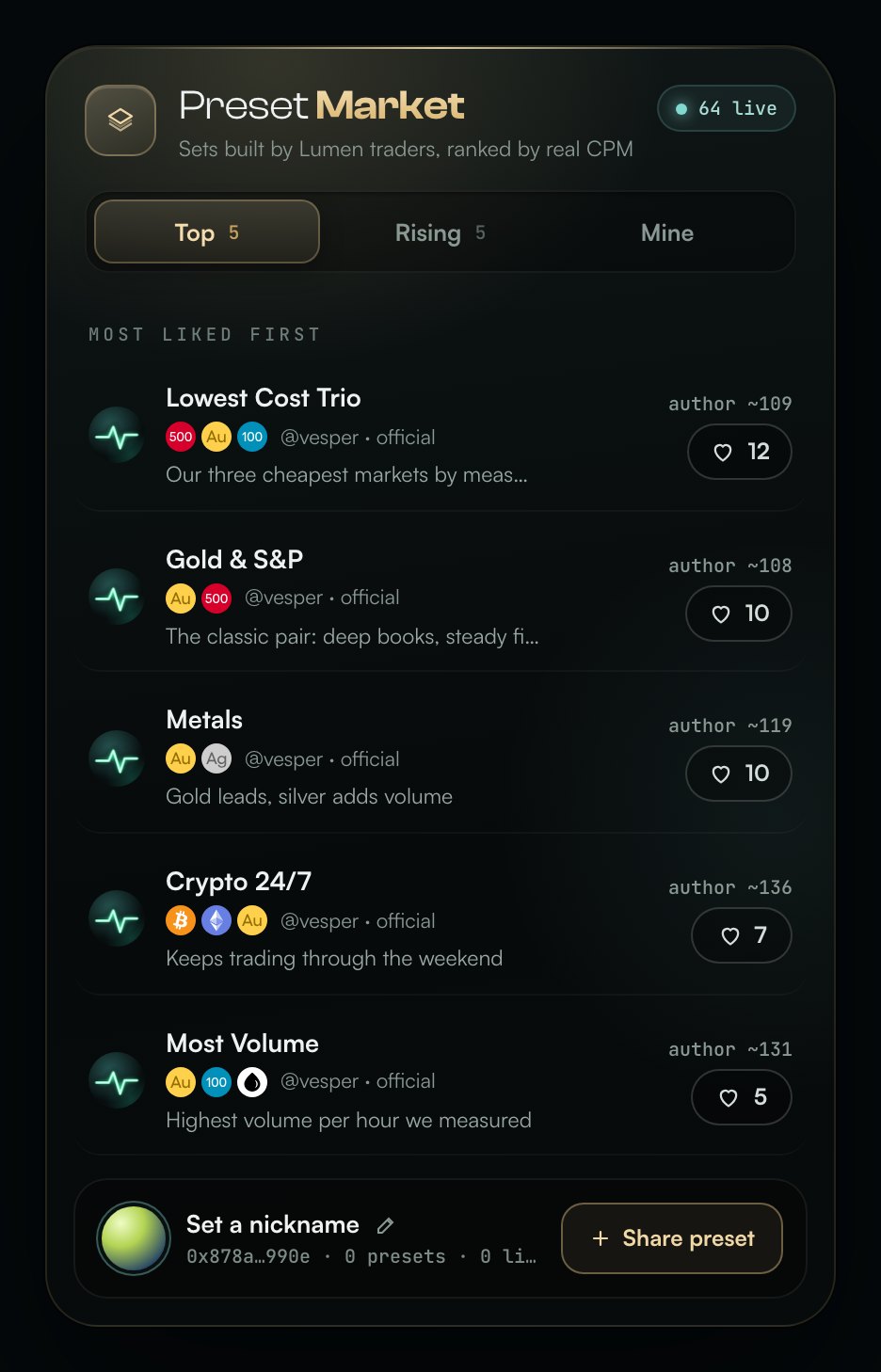
The feed
- TopRanked by measured CPM, then by likes.
- RisingThe newest presets.
- MineYour own, public and private.
- CPMFrom the real fills of everyone who runs the preset, last 7 days. Shown after $50k of volume.
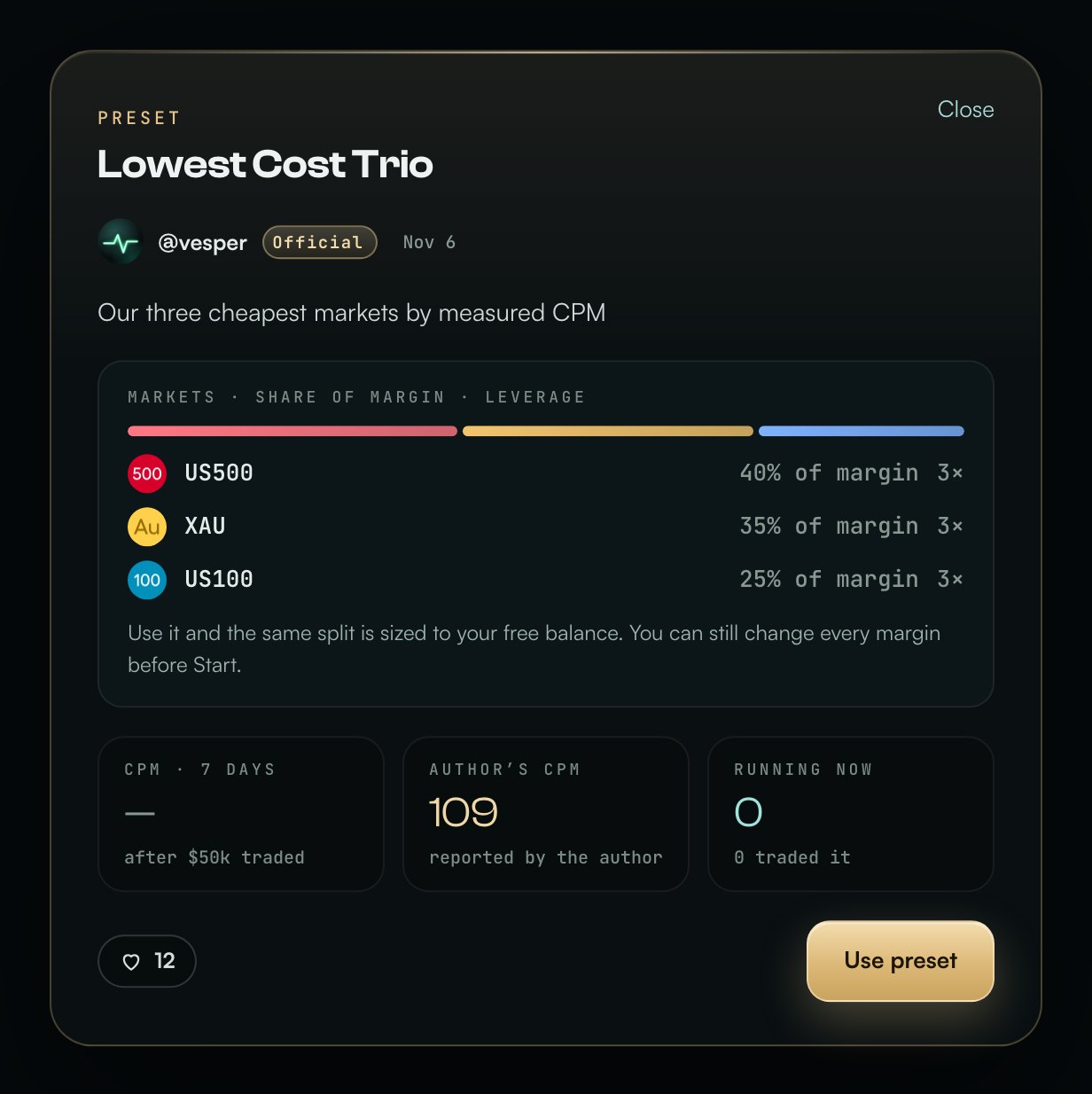
Open a preset, then Use it
Tap a preset’s name. You see its markets with the share of margin and leverage, the measured CPM, the author’s own CPM and how many traders run it.
Use preset opens the Add markets window with the same markets and split, sized to your free balance. Check the margins and press Start.
Share your own
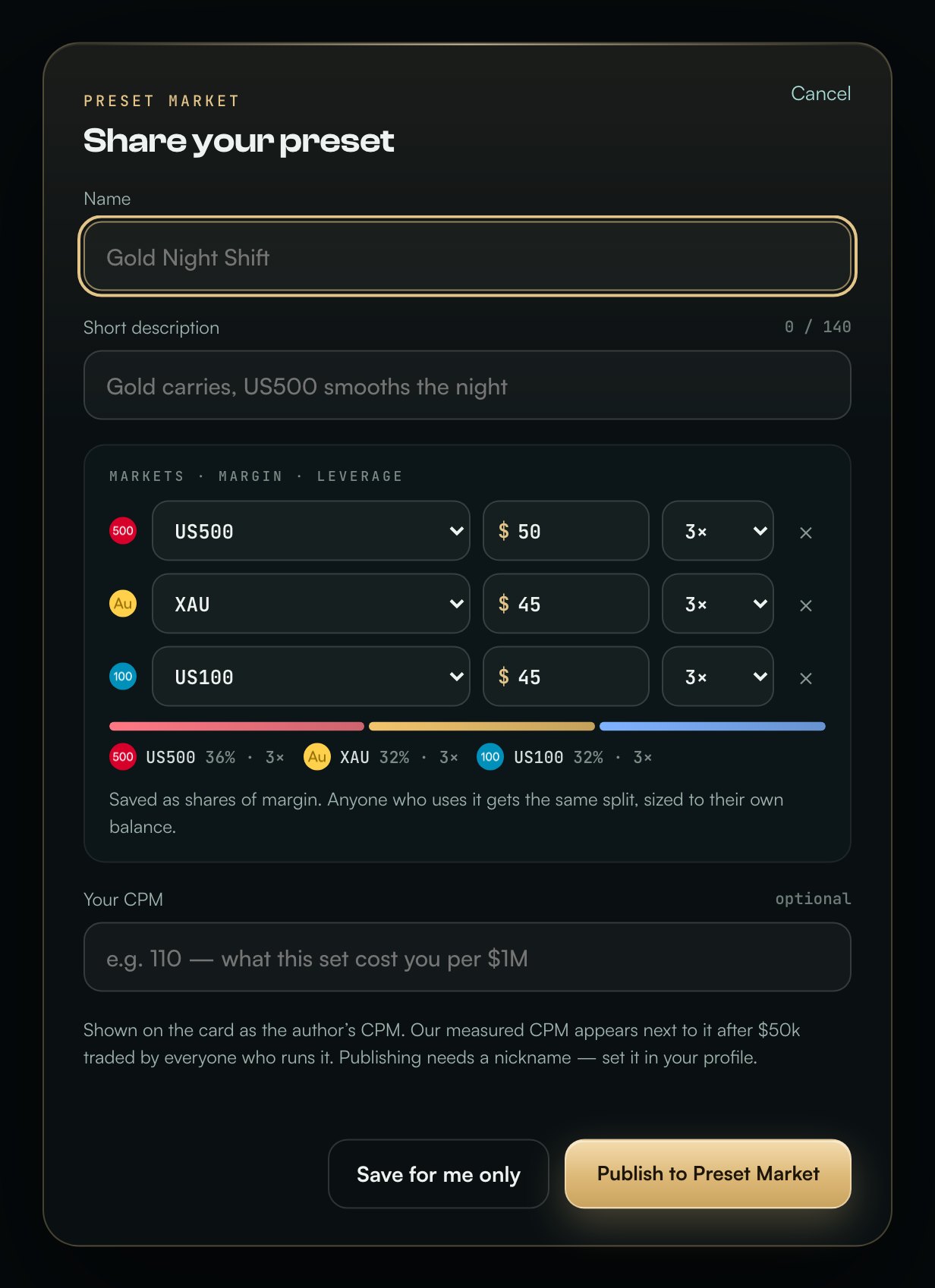
Press Share preset at the bottom of the feed, or Save as preset in the Add markets window.
- NameUp to 32 characters.
- DescriptionOne line on why it works, up to 140.
- MarketsUp to three, with margin and leverage. Saved as shares of margin.
- Your CPMOptional. Shown as the author’s CPM next to the measured one.
- PublishInto the feed, or Save for me only.
Your profile
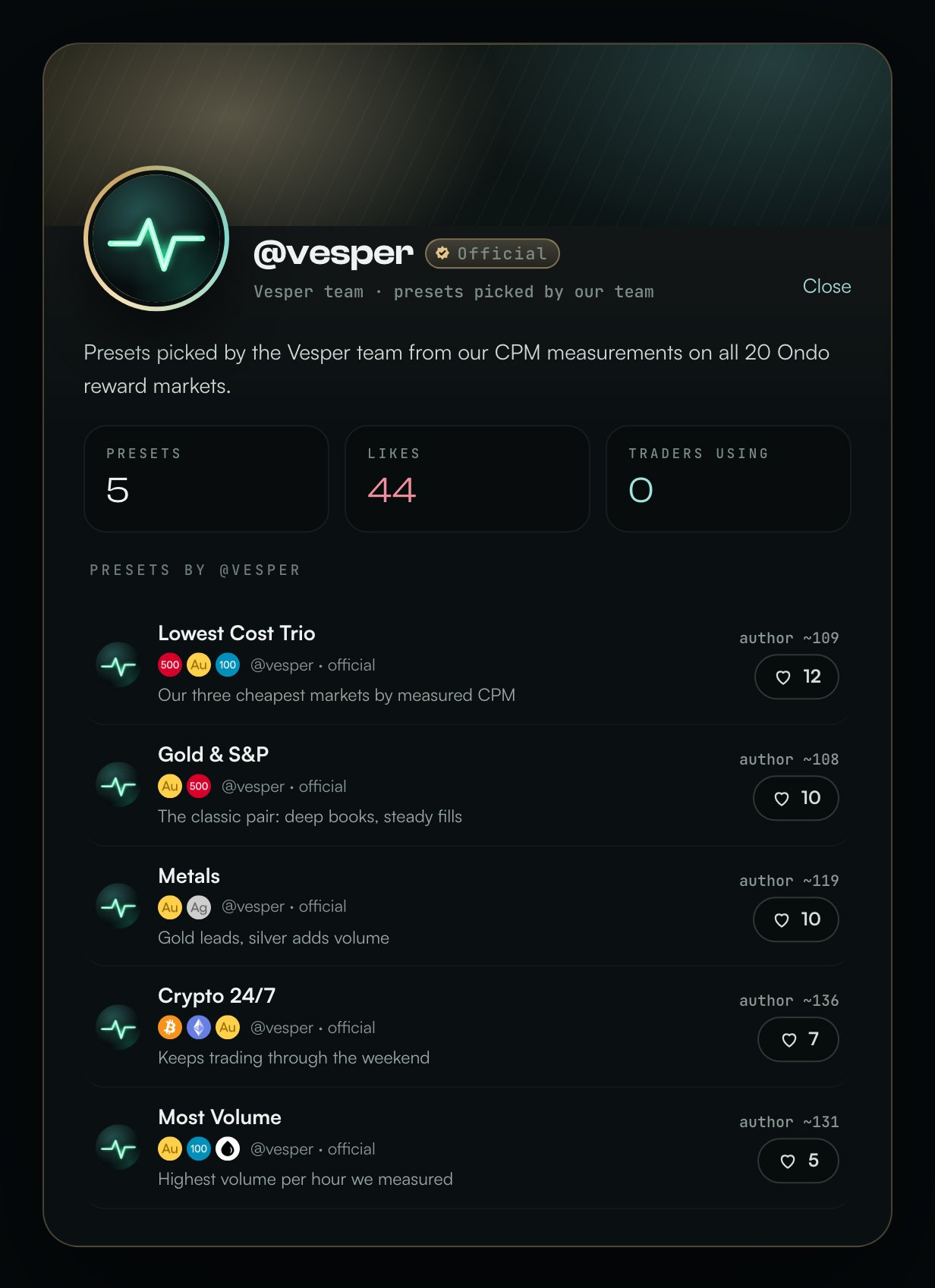
Your wallet is your account. Tap your avatar at the bottom of the feed to set a @nickname, a picture or one of our avatars, and one line about you. Publishing needs a nickname.
Tap any author to see their profile: their presets, their likes and how many traders use their sets. Your dollar amounts and balance are never shown.
One market, or all of them
Press Stop on a market row to stop only that one; the others keep trading. Press Stop all to end the session. Confirm in your wallet. Vesper cancels the orders and closes the positions, which takes a short while.
- WaitUntil the session shows Stopped.
- ResultsThe session moves to My results: volume, fees, result and CPM for each market.
- ManualYour own trades on other Ondo markets are never touched.
Before you start
How much do I need?
Which markets can I pick?
What is CPM?
How do Ondo’s weekly rewards work?
Can I trade by hand at the same time?
Can I change markets while it runs?
Is a preset’s CPM a promise?
Can Vesper withdraw my funds?
Three Ondo markets, one session, built for the weekly pool.
Pick your markets or a trader’s preset and press Start.
Screens from LUMEN on a demo account. Values are an example, not a forecast.
Other Vesper guides
All guides · How market making works · About Vesper · Ask the community · Discord